
Reviews
Ihre Grafiken verleihen meinen Präsentationen eine nette Note, und ich habe sie kürzlich für eines meiner All-Hands-Meetings verwendet. Ihre Toolbox verleiht meinen Folien Professionalität, anstatt Standard-Clipart zu verwenden.
Ich brauchte einen neuen Blick auf einige meiner Folien. Ich habe versucht, einen Weg zu finden, einen Pinselschlag-Effekt zu erzielen, um zu unterstreichen, hervorzuheben, Farbe hinzuzufügen, und die handgeschriebenen Markierungen waren genau das Richtige. Sehr einfach zu bedienen, leicht in der Größe zu ändern, die Farbe zu ändern. Es war eine erschwingliche, perfekte Lösung und ich empfehle sie gerne weiter.
Die klare, saubere Optik der Grafiken und die Tatsache, dass ich die Farben leicht bearbeiten und an die Vorlage anpassen konnte, war mein Hauptgrund für den Kauf.
Description
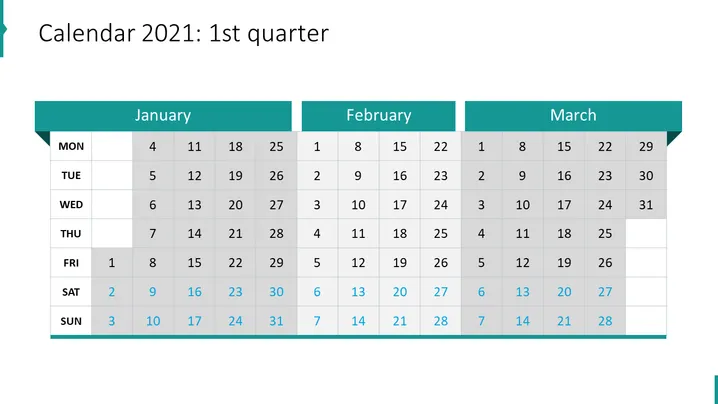
Calendar 2021: 1st quarter
Slide Content
The slide presents a calendar for the first quarter of 2021, detailing the months of January, February, and March. Each month shows dates with specific days highlighted to represent four distinct projects. Project 1 is signified by a teal square, Project 2 by an orange square, Project 3 by a purple square, and Project 4 by a green square. Days involved in the projects are marked in their respective colors, indicating when a project is active or scheduled. Additionally, some dates are circled to emphasize particular days, likely key dates or milestones within the projects.
Graphical Look
- Background: A photograph of a blurred office setting with items such as a laptop, paperwork, and possibly personal effects.
- Title: Bold, capitalized text aligned to the left in a light font color, making it stand out against the darker background.
- Monthly headers: Three colored bars—teal, indigo, and light blue—each with white capitalized text indicating the month.
- Date grid: A translucent dark overlay containing white text for days of the week and dates. Some cells are highlighted to correspond with the project colors mentioned earlier.
- Project keys: Four colored squares (teal, orange, purple, green), each with a label indicating a project number, placed at the bottom of the slide.
- Circles: Two circles in a light outline appear over dates on the calendar grid, which helps to draw attention to those specific days.
The overall aesthetic of the slide is modern and business-like, with a clear, functional design that uses color to differentiate tasks or projects. The visual elements are well-organized, enabling easy reading and quick comprehension of the schedule.
Use Cases
- To present project timelines during a business meeting, illustrating when different projects will be initiated and highlighting key milestones.
- For strategic planning sessions where team leads can assign and discuss deadlines, ensuring that all team members understand the schedule.
- To review progress in project management updates where visual representation aids in tracking the advancement of multiple projects simultaneously.
- In a monthly or quarterly company-wide presentation to provide an overview of upcoming projects and their respective timelines to keep all staff informed.
How to Edit
How to edit text & colors

How to expand / shorten diagram

How to Replace Icons in infoDiagram PPT


