
Reviews
Ihre Grafiken verleihen meinen Präsentationen eine nette Note, und ich habe sie kürzlich für eines meiner All-Hands-Meetings verwendet. Ihre Toolbox verleiht meinen Folien Professionalität, anstatt Standard-Clipart zu verwenden.
Ich brauchte einen neuen Blick auf einige meiner Folien. Ich habe versucht, einen Weg zu finden, einen Pinselschlag-Effekt zu erzielen, um zu unterstreichen, hervorzuheben, Farbe hinzuzufügen, und die handgeschriebenen Markierungen waren genau das Richtige. Sehr einfach zu bedienen, leicht in der Größe zu ändern, die Farbe zu ändern. Es war eine erschwingliche, perfekte Lösung und ich empfehle sie gerne weiter.
Die klare, saubere Optik der Grafiken und die Tatsache, dass ich die Farben leicht bearbeiten und an die Vorlage anpassen konnte, war mein Hauptgrund für den Kauf.
Description
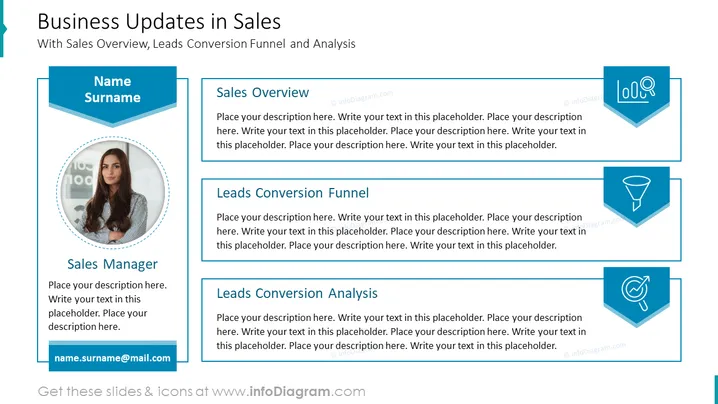
Business Updates in Sales
Slide content:
- Sales overview: This section provides a summary of the company's sales performance, including revenue, number of customers, and average order value.
- Leads conversion funnel: This section shows the number of leads at each stage of the sales funnel, from initial contact to closed won.
- Leads conversion analysis: This section provides insights into the leads conversion process, such as which lead sources are most effective and which stages of the funnel are most prone to drop-off.
Graphical look:
- Shapes: The slide uses a variety of shapes to represent the different data points, including circles, rectangles, and lines.
- Colors: The slide uses a bright and bold color scheme, with mostly primary and secondary colors. This helps to make the data visually appealing and easy to understand.
- Icons: You can use icons to represent different concepts, such as a dollar sign for revenue and a funnel for the leads conversion funnel.
- Composition: The slide is divided into three main sections, one for each of the three main content areas. The sections are arranged in a horizontal row, with the sales overview in the middle and the leads conversion funnel and analysis on either side. This helps to create a balanced and visually appealing composition.
Overall, the slide is visually appealing and well-organized. The use of shapes, colors, icons, and composition is effective in communicating the key data points and insights.
Use Cases
- To provide a summary of the company's sales performance to stakeholders.
- To identify areas where sales can be improved.
- To track the progress of sales initiatives over time.
- To share insights from the sales team with other departments, such as marketing or product development.
- To use as a starting point for a more detailed discussion of sales performance.
How to Edit
How to edit text & colors

How to expand / shorten diagram

How to Replace Icons in infoDiagram PPT


