
Reviews
Your graphics add a nice touch to my presentations and I recently used them for one of my all-hands meetings. Your toolbox adds professionalism to my slides. Instead of using standard clipart.
I needed a fresh look at some of my slides. I've tried to find a way to create a paintbrush effect, to underline, accentuate, add some color and the handwritten markers were just the things. Very easy to use, easy to size, change the color. It was an affordable, perfect solution and I'm happy to recommend it.
The crisp, clean look of the graphics, and the fact that it allowed me to easily edit and change the colors to match the template was my main reason for purchasing them.
Description
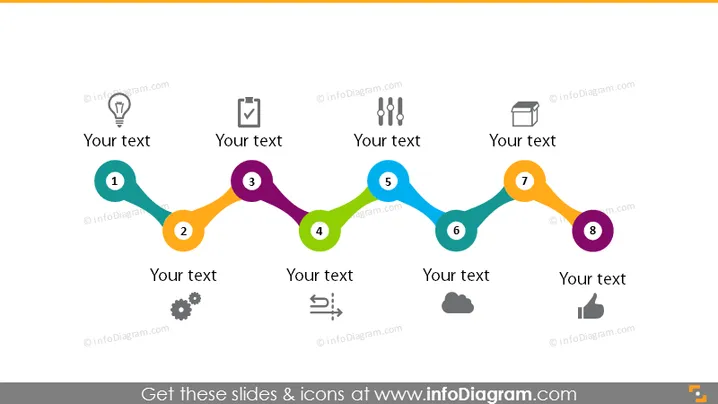
8 Steps Timeline Roadmap Flat Chain Infographics
Slide Content:
The PowerPoint slide features a linear sequence of eight steps, each denoted by a number and accompanied by an icon, reflecting different stages or elements of a business process or roadmap. The icons include a lightbulb, a clipboard, gears, and other symbols that typically represent ideas, planning, execution, analysis, and completion. Text placeholders adjacent to each step allow for brief descriptions, offering a structured format to define the objectives or details of each stage in a business or project timeline.
Graphical Look:
- A wavy line connecting a series of colored circles that transition smoothly from one to the next, creating a visual path.
- Numerical labels from 1 to 8 inside each circle, indicating the order of steps.
- Diverse icons within the circles.
- Text placeholders situated near each circle for additional information.
- The slide background is plain white, emphasizing the colorful path and making the icons stand out.
The slide uses a colorful and engaging design to represent a step-by-step progression, making it easy to visualize the flow of a project or strategy from inception to completion.
Use Cases:
- To communicate a project timeline in a team meeting.
- As a visual aid during a strategy presentation to stakeholders.
- For outlining a product development lifecycle in a marketing presentation.
- In an educational setting to explain the stages of a business or project plan.
How to Edit
How to edit text & colors

How to expand / shorten diagram

How to Replace Icons in infoDiagram PPT


