
Reviews
Your graphics add a nice touch to my presentations and I recently used them for one of my all-hands meetings. Your toolbox adds professionalism to my slides. Instead of using standard clipart.
I needed a fresh look at some of my slides. I've tried to find a way to create a paintbrush effect, to underline, accentuate, add some color and the handwritten markers were just the things. Very easy to use, easy to size, change the color. It was an affordable, perfect solution and I'm happy to recommend it.
The crisp, clean look of the graphics, and the fact that it allowed me to easily edit and change the colors to match the template was my main reason for purchasing them.
Description
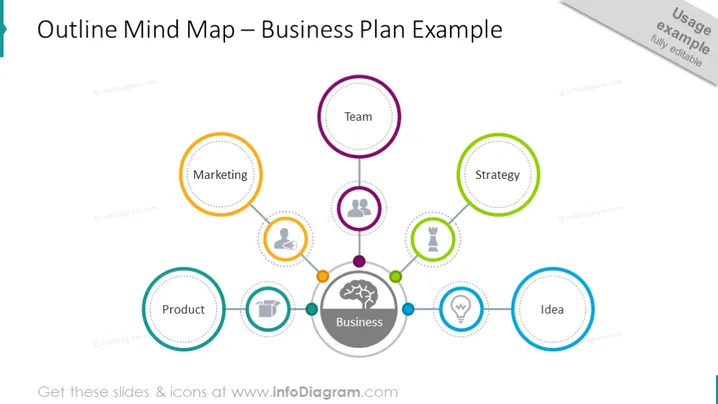
Outline Mind Map – Business Plan Example
Slide Content
The PowerPoint slide presents a visual representation of an "Outline Mind Map – Business Plan Example," which includes six key areas linked to a central "Business" node. Each area is significant for the development of a comprehensive business plan; "Team" introduces the group executing the plan; "Marketing" outlines strategies for reaching customers; "Product" focuses on goods or services offered; "Idea" sparks the initial concept; "Strategy" defines the approach for achieving business goals.
Graphical Look
- The slide background is white, providing a clean and distraction-free backdrop for the content.
- A central circular node labeled "Business" serves as the focal point, with a brain icon symbolizing thought or strategy.
- Six colored circular nodes branch out from the central node, each containing a different business component label and an associated icon.
- "Team" with three figures, indicating collaboration or team structure.
- "Marketing" with a megaphone, representing promotion and outreach.
- "Product" with a gear, metaphor for the creation or production.
- "Idea" with a lightbulb, suggesting innovation or conception.
- "Strategy" with a trophy, depicting objectives and winning plans.
- Each node is surrounded by a dashed border, adding texture and drawing the eye to each element.
- Dotted lines emanate from the central "Business" node, connecting it to the six surrounding nodes to illustrate relationships.
- Small, solid-colored circles punctuate the connection between the nodes, possibly representing stages or checkpoints.
The overall look of the slide is modern and schematic, using icons and colors to differentiate and emphasize key areas of a business plan. The design is uncomplicated, favoring ease of understanding and visual appeal.
Use Cases
- To introduce the main components of a business plan in an entrepreneurial workshop or seminar.
- As a visual aid during a startup pitch to investors, highlighting the - core areas of focus in the proposed business model.
- In a strategic management meeting, to outline the company's current business plan structure and discuss potential adjustments.
- As a template for brainstorming sessions within a business development team, prompting analysis and expansion on each area.
How to Edit
How to edit text & colors

How to expand / shorten diagram

How to Replace Icons in infoDiagram PPT


