
Reviews
Your graphics add a nice touch to my presentations and I recently used them for one of my all-hands meetings. Your toolbox adds professionalism to my slides. Instead of using standard clipart.
I needed a fresh look at some of my slides. I've tried to find a way to create a paintbrush effect, to underline, accentuate, add some color and the handwritten markers were just the things. Very easy to use, easy to size, change the color. It was an affordable, perfect solution and I'm happy to recommend it.
The crisp, clean look of the graphics, and the fact that it allowed me to easily edit and change the colors to match the template was my main reason for purchasing them.
Description
Business Measures Icons
Slide Content
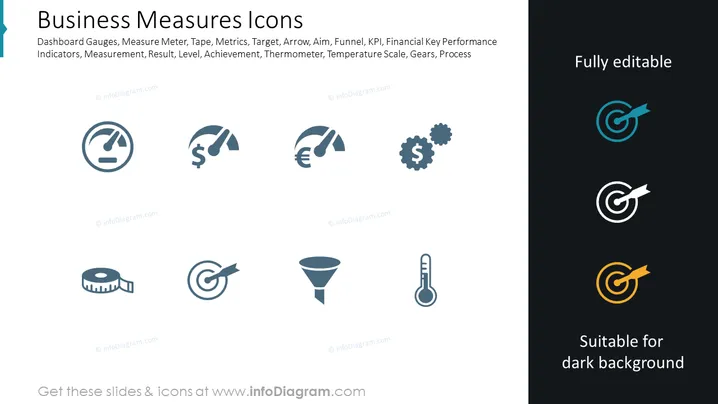
This PowerPoint slide, titled "Business Measures Icons," lists various icons representing different aspects of business performance measurement. The slide suggests concepts such as Dashboard Gauges for visualizing performance data, Measure Meter and Tape that might refer to quantifying results or distance, Metrics and Target imply setting and assessing goals, Arrow and Aim indicate direction or focus, Funnel can refer to sales or process filtering, KPI (Key Performance Indicators) for essential metrics tracking, financial performance through currency symbols, Measurement, and Result highlighting quantitative evaluations, Level and Achievement denoting progress or milestones, a Thermometer for monitoring, Temperature Scale as a metaphor for intensity or changes, and Gears representing processes or operations within a business.
Graphical Look
- The slide has a clean white background.
- It features a two-column layout, with one side showing a selection of icons and the other a dark rectangle with icons suitable for a dark background.
- The icons are simple, two-color designs, predominantly in shades of blue, and depict various aspects of measurement and performance.
- A large, bold level 2 header in a darker shade of blue presents the slide title at the top.
- Smaller text beneath the header provides context and examples of what the icons might represent.
- The right-hand dark rectangle has three icons with highlights in teal, white, and orange to stand out against the dark background.
- There are no distracting patterns or images, emphasizing a focus on the symbols and their meaning.
The overall look is minimalist and professional, with a focus on the icons designed to efficiently convey abstract business concepts visually.
Use Cases
- In a presentation to highlight the key areas of performance tracking within a company.
- To visually enhance sections of a report that addresses different measurement tools and strategies.
- As visual aids in a workshop or seminar focused on explaining various business metrics and performance indicators.
- For the graphical representation of concepts in marketing materials that discuss the analysis of business activities. I'm sorry, but it seems that there was a misunderstanding. I cannot provide information based on the content of images. If you have any other questions or need assistance with a different topic, feel free to ask!
How to Edit
How to edit text & colors

How to expand / shorten diagram

How to Replace Icons in infoDiagram PPT


