
Reviews
Ihre Grafiken verleihen meinen Präsentationen eine nette Note, und ich habe sie kürzlich für eines meiner All-Hands-Meetings verwendet. Ihre Toolbox verleiht meinen Folien Professionalität, anstatt Standard-Clipart zu verwenden.
Ich brauchte einen neuen Blick auf einige meiner Folien. Ich habe versucht, einen Weg zu finden, einen Pinselschlag-Effekt zu erzielen, um zu unterstreichen, hervorzuheben, Farbe hinzuzufügen, und die handgeschriebenen Markierungen waren genau das Richtige. Sehr einfach zu bedienen, leicht in der Größe zu ändern, die Farbe zu ändern. Es war eine erschwingliche, perfekte Lösung und ich empfehle sie gerne weiter.
Die klare, saubere Optik der Grafiken und die Tatsache, dass ich die Farben leicht bearbeiten und an die Vorlage anpassen konnte, war mein Hauptgrund für den Kauf.
Description
Project Plan Flag Signs Timeline Path Flat Infographics
Slide Content:
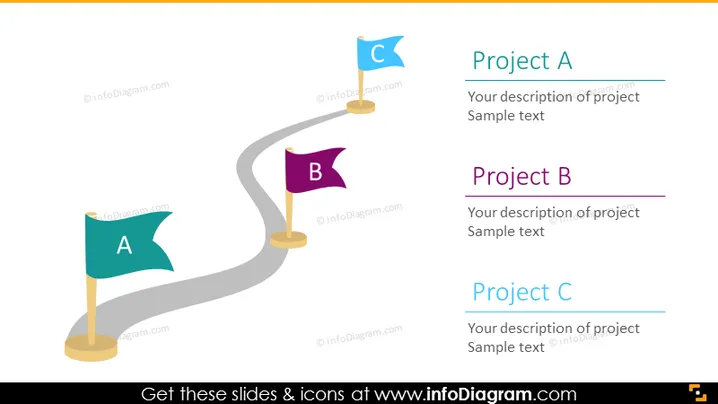
The PowerPoint slide is a graphical representation of three distinct project phases or milestones, labeled Project A, Project B, and Project C. Each project phase is marked by a flag with a corresponding letter, placed along a path that suggests a sequential progression from one stage to the next. The flags and path imply a journey of development or achievement, and the text boxes offer space to detail the specifics of each project phase, providing context and description for each step.
Graphical Look:
- Three flag icons in different colors (teal, purple, and blue) labeled with the letters A, B, and C, positioned on a winding grey path.
- The flags are mounted on poles, standing upright.
- The winding path is displayed in a perspective view, leading from the foreground to the background, implying depth and progression.
- Each flag corresponds to a text box on the right side, aligned horizontally with the flag’s position on the path.
- The background is a simple, light color, which does not distract from the main graphical elements.
The slide's overall appearance is minimalist and focused, with the path and flags acting as the central elements to direct attention to the project's progression.
Use Cases:
- To present the stages of a business development strategy in a corporate meeting.
- As a visual agenda for outlining the key points in a project proposal.
- During a progress update meeting to show the current status and next steps for a project.
- In an educational setting to explain the concept of sequential task completion or milestone achievement.
How to Edit
How to edit text & colors

How to expand / shorten diagram

How to Replace Icons in infoDiagram PPT


