

Your graphics add a nice touch to my presentations and I recently used them for one of my all-hands meetings. Your toolbox adds professionalism to my slides. Instead of using standard clipart.
Claude Jones, Director of Engineer, @Walmartlabs, USA

Your graphics add a nice touch to my presentations and I recently used them for one of my all-hands meetings. Your toolbox adds professionalism to my slides. Instead of using standard clipart.
Claude Jones, Director of Engineer, @Walmartlabs, USA
I needed a fresh look at some of my slides. I've tried to find a way to create a paintbrush effect, to underline, accentuate, add some color and the handwritten markers were just the things. Very easy to use, easy to size, change the color. It was an affordable, perfect solution and I'm happy to recommend it.
Anonymous, US
The crisp, clean look of the graphics, and the fact that it allowed me to easily edit and change the colors to match the template was my main reason for purchasing them.
Brandie Jenkins, E-learning Developer, USA
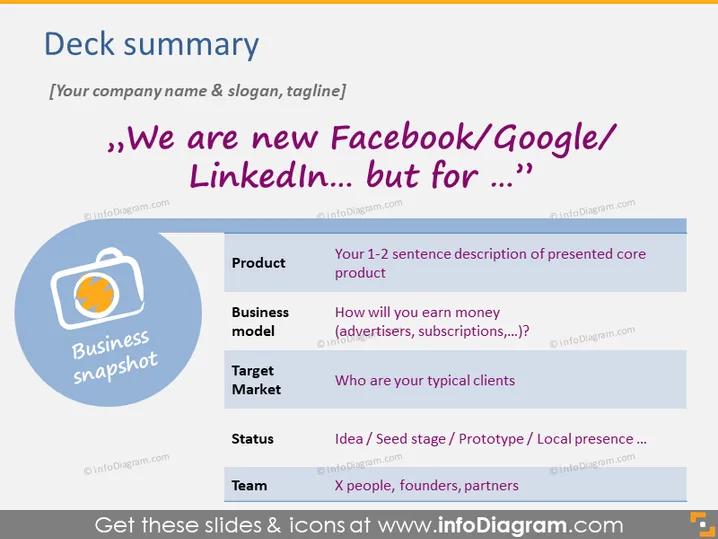
The PowerPoint slide titled "Deck summary" outlines key points of a startup or new venture, inviting the presenter to customize the slide with their own information. The presented elements include a comparison to known entities such as Facebook/Google/LinkedIn, suggesting the company offers a similar platform but for a different niche or sector. The slide covers a product description, the business model, target market, current status, and the team. Each of these items encourages the presenter to briefly outline their core product, monetization strategy, customer demographics, developmental phase, and the startup's team size and composition.
The slide has a professional and modern visual design with a clear hierarchy that guides the viewer through the information. The color scheme is consistent, and the use of icons and color highlights key points effectively.



