
Reviews
Sus gráficos añaden un toque agradable a mis presentaciones y recientemente los usé para una de mis reuniones generales. Su conjunto de herramientas añade profesionalismo a mis diapositivas. En lugar de usar imágenes prediseñadas estándar.
Necesitaba un aspecto fresco para algunas de mis diapositivas. Había intentado encontrar una forma de crear un efecto de pincel, de subrayar, acentuar, añadir algo de color y los marcadores escritos a mano fueron justo lo que necesitaba. Muy fácil de usar, fácil de ajustar el tamaño, cambiar el color. Fue una solución asequible y perfecta, y estoy feliz de recomendarla.
El aspecto nítido y limpio de los gráficos, y el hecho de que me permitiera editar y cambiar fácilmente los colores para que coincidieran con la plantilla fue mi principal razón para comprarlos.
Description
Icons: Buildings
Slide Content
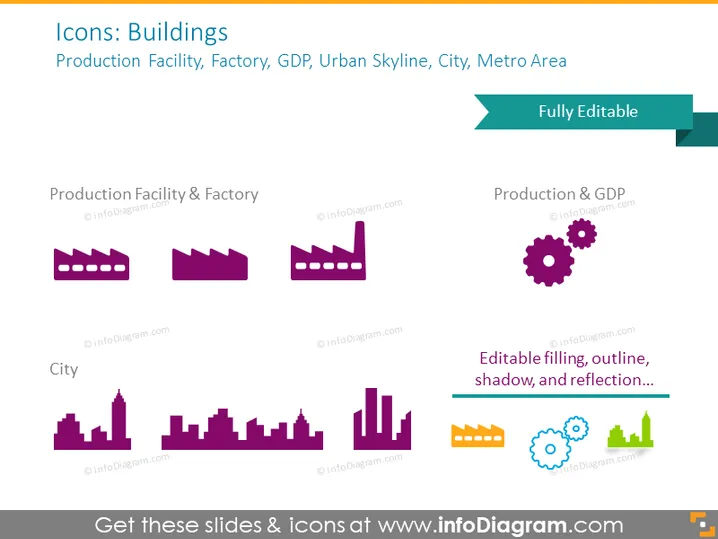
The PowerPoint slide "Icons: Buildings" presents a collection of stylized icon graphics related to urban and industrial themes. "Production Facility & Factory" consists of three icons depicting simplified industrial buildings, indicating various types of factory structures. "City" features icons representing an urban skyline with different building profiles, symbolizing a densely built-up cityscape. "Production & GDP" combines industrial elements with a gear icon, suggesting a relationship between manufacturing and economic output. The phrase "Editable filling, outline, shadow, and reflection..." implies that these icons have customizable visual properties.
Graphical Look
- The slide has a purple and teal color scheme.
- At the top, the slide title is presented in a large, bold font.
- Below the title, a subtitle lists associated terms in a smaller font.
- Two sections on the slide, each labeled with a different category of buildings.
- Each section contains a series of icons related to the category title.
- The icons feature simple and flat design aesthetics with purple color and some shadow effects for depth.
- There is a teal-colored banner in the upper right corner with text indicating the icons are "Fully Editable."
- A dividing teal-colored line and informational text box sit at the bottom, suggesting customizable features of these icons.
The slide has a modern and clean design, focusing on conveying the information visually through the use of icons. The color palette is professional and appealing, and the layout is well-organized, making it easy to discern the different categories and functions of the icons.
Use Cases
- For presentations about urban development or city planning, using the icons to depict different types of urban areas.
- In manufacturing or industrial sector meetings, to represent various factory and production facilities.
- During economic presentations, where there's a need to illustrate the link between production facilities and macroeconomic indicators like GDP.
- In marketing materials for businesses related to construction, real estate, or urban services, to visually communicate the ir scope of work or areas of expertise.
How to Edit
How to edit text & colors

How to expand / shorten diagram

How to Replace Icons in infoDiagram PPT


