
Reviews
The icons are fantastic, easy to use, and will add value to any project or presentation. Keep up the great work.
I love how simple infoDiagram's solutions are and the personal interest they took in my work. Recommended 1000%!
The crisp, clean look of the graphics, and the fact that it allowed me to easily edit and change the colors to match the template was my main reason for purchasing them.
Description
Buildings symbols
Slide Content
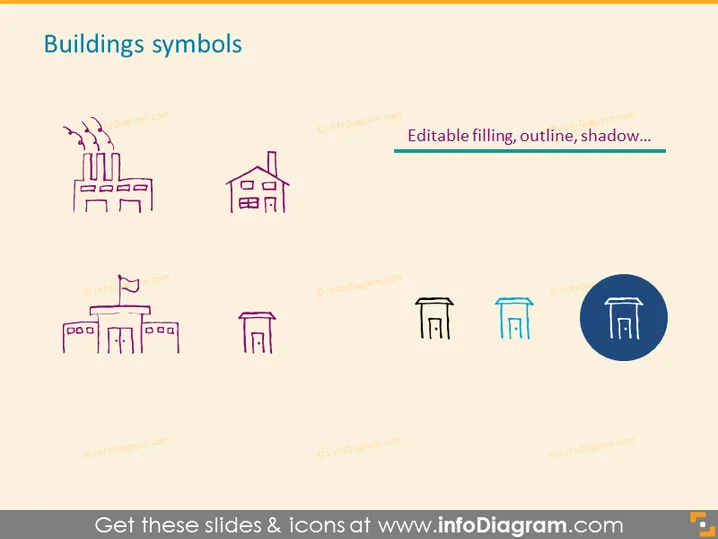
The PowerPoint slide titled "Buildings symbols" seems to be showcasing a collection of various building icons with different design attributes such as "Editable filling, outline, shadow..." Each presented building icon represents a different style or type of structure, which could be used for different purposes within a presentation to represent various architectural forms or organizational structures.
Graphical Look
- The slide background is plain and light-colored, ensuring that the icons and text are easily visible.
- There is a central header in bold character style titled "Buildings symbols," likely indicating the theme of the slide.
- A set of six building icons are arrayed in two rows and three columns.
- The icons on the left display a factory with smokestacks, illustrating an industrial setting.
- The middle top icon represents a residential building, while the middle bottom icon seems to depict a commercial storefront or possibly a public building.
- The icons on the right show the same commercial/public building, each with different visual treatments—solid fill, outline, and one with a drop shadow effect for depth.
- The last icon is encircled within a blue filled circle, making it stand out and possibly indicating it is the selected example of the editing features mentioned.
The slide has a clean and professional appearance with minimal text and a focus on the visual elements. The use of color is restrained, primarily using a single accent color to highlight certain aspects.
Use Cases
- To illustrate different types of architecture or infrastructure within an urban planning or development proposal.
- As part of a real estate presentation to display various property types available for purchase or lease.
- In an educational setting when discussing the functions of various building types in society or urban design concepts.
- When creating marketing materials for construction, architecture, or property management firms to visually differentiate between service offerings or project types.
How to Edit
How to edit text & colors

How to expand / shorten diagram

How to Replace Icons in infoDiagram PPT


