
Reviews
Your graphics add a nice touch to my presentations and I recently used them for one of my all-hands meetings. Your toolbox adds professionalism to my slides. Instead of using standard clipart.
I needed a fresh look at some of my slides. I've tried to find a way to create a paintbrush effect, to underline, accentuate, add some color and the handwritten markers were just the things. Very easy to use, easy to size, change the color. It was an affordable, perfect solution and I'm happy to recommend it.
The crisp, clean look of the graphics, and the fact that it allowed me to easily edit and change the colors to match the template was my main reason for purchasing them.
Description
Building Icons
Slide Content
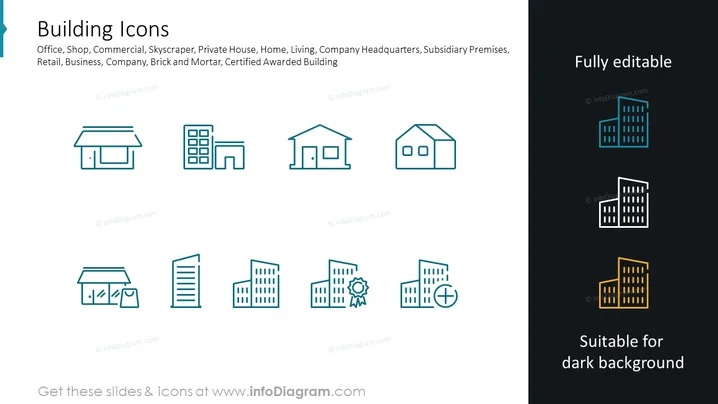
The slide presents a collection of "Building Icons" for different types of structures, which are probably meant to symbolize office, shop, commercial building, skyscraper, private house, home, living quarters, company headquarters, subsidiary premises, retail space, business corporation, brick and mortar establishment, and a certified awarded building. Each icon represents a specific type of building, such as a small store, an office building, or a residential house, and the icons are stylistically simple to convey their meaning quickly and effectively.
Graphical Look
- A dark teal background that covers the entire slide.
- A slide title in white text with a larger font size.
- Two rows of building icons, each containing five icons, aligned horizontally across the slide.
- Icons are depicted in a simple line art style and are uniformly colored in a shade of blue.
- There's a variation of the icons shown in a smaller size on a dark background to demonstrate their adaptability.
- Text indicating "Fully editable" positioned to the right of the slide, conveying customizability.
- Additional text labeled "Suitable for dark background" located below the adaptability demonstration, indicating icon usability.
The slide employs a clean and minimalist design, with ample negative space that focuses attention on the icons. The contrast between the icon colors and the background color enhances readability and visual appeal.
Use Cases
- For presentations in real estate to visualize different property types.
- In business pitches to represent various company locations or branch types.
- During urban development meetings to quickly identify building functions.
- In marketing materials to depict categories of storefronts or commercial facilities.
How to Edit
How to edit text & colors

How to expand / shorten diagram

How to Replace Icons in infoDiagram PPT


