
Reviews
Your graphics add a nice touch to my presentations and I recently used them for one of my all-hands meetings. Your toolbox adds professionalism to my slides. Instead of using standard clipart.
I needed a fresh look at some of my slides. I've tried to find a way to create a paintbrush effect, to underline, accentuate, add some color and the handwritten markers were just the things. Very easy to use, easy to size, change the color. It was an affordable, perfect solution and I'm happy to recommend it.
The crisp, clean look of the graphics, and the fact that it allowed me to easily edit and change the colors to match the template was my main reason for purchasing them.
Description
Fully editable
Slide Content
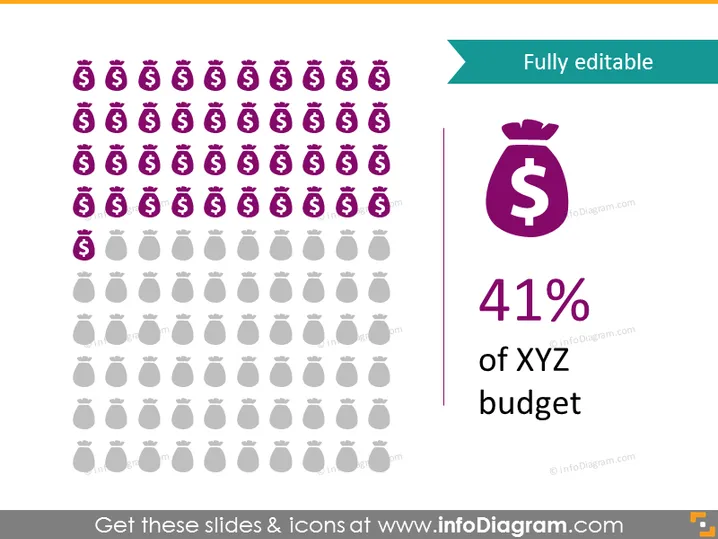
The PowerPoint slide presents a visual representation of budget allocation, with the title "Fully editable." It is presumably used to demonstrate a portion of a budget dedicated to a specific area, denoted as "41% of XYZ budget." The conceptual emphasis seems to be on the modifiable nature of the slide, suggesting the information can be tailored to the presenter's needs. A matrix of money bag icons proportionally illustrates the 41% figure, conveying the idea that nearly half of the resources are allocated to 'XYZ.'
Graphical Look
- The slide has a clean, minimalist design with a teal header containing white text for the slide title.
- On the top left, multiple rows of money bag icons are displayed, with a majority in bold purple and a minority in light gray to visually represent the percentage.
- A vertical line separates the icon matrix from a large, bold purple money bag icon on the right side.
- Beneath the large icon, "41%" is displayed in a large, dark purple font, followed by "of XYZ budget" in a smaller font size but with the same color emphasis.
- The background of the slide is plain white, which contrasts and emphasizes the icons and text.
The slide uses color contrasts and proportional iconography to create a visual representation of budget allocation. The overall design is modern and professional, ideal for business or financial presentations.
Use Cases
- To visually represent financial statistics during budget meetings to make data more accessible and engaging.
- In financial reports where visual aids can enhance the understanding of budget allocations or expenditure breakdowns.
- During investment pitches to clearly show potential investors what proportion of funds are dedicated to specific areas.
- As an educational tool in workshops or seminars to explain financial concepts using visual representations.
How to Edit
How to edit text & colors

How to expand / shorten diagram

How to Replace Icons in infoDiagram PPT


