
Reviews
Ihre Grafiken verleihen meinen Präsentationen eine nette Note, und ich habe sie kürzlich für eines meiner All-Hands-Meetings verwendet. Ihre Toolbox verleiht meinen Folien Professionalität, anstatt Standard-Clipart zu verwenden.
Ich brauchte einen neuen Blick auf einige meiner Folien. Ich habe versucht, einen Weg zu finden, einen Pinselschlag-Effekt zu erzielen, um zu unterstreichen, hervorzuheben, Farbe hinzuzufügen, und die handgeschriebenen Markierungen waren genau das Richtige. Sehr einfach zu bedienen, leicht in der Größe zu ändern, die Farbe zu ändern. Es war eine erschwingliche, perfekte Lösung und ich empfehle sie gerne weiter.
Die klare, saubere Optik der Grafiken und die Tatsache, dass ich die Farben leicht bearbeiten und an die Vorlage anpassen konnte, war mein Hauptgrund für den Kauf.
Description
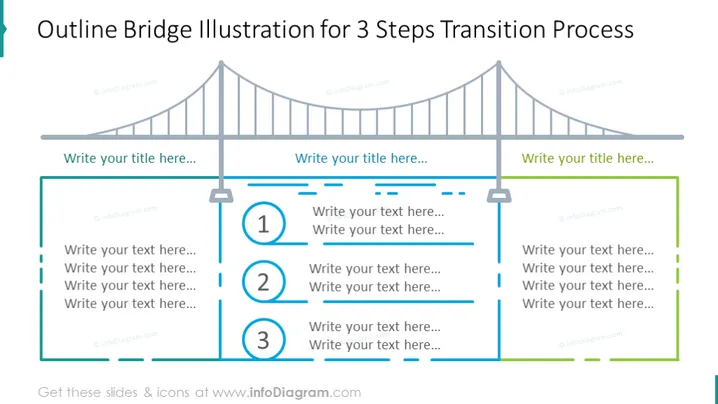
Outline Bridge Illustration for 3 Steps Transition Process
Slide Content
The PowerPoint slide presents a metaphorical representation of a three-step process using an outline bridge illustration. The three steps are demarcated by columns resting on the bridge's cables, each accompanied by a number (1, 2, and 3) and space for adding descriptive text. The process suggests a progression from one stage to the next, facilitating a transitional flow analogous to crossing a bridge, emphasizing the linkage between sequence stages.
Graphical Look
- A large bridge illustration spans across the top of the slide, subtly fading into the background, with three vertical suspensions prominently featured.
- Three rectangular columns or steps align with the bridge suspensions; each column has a unique number (1, 2, 3) in a circular icon to represent sequential steps or stages.
- The numbered icons are highlighted with a contrasting color (blue) against the grey of the rest of the slide elements.
- There are text placeholders adjacent to each step icon for titles and descriptions, inviting the user to input relevant information.
- Horizontal dashed lines connect the steps, symbolizing progression or connections between them.
- The overall color scheme is muted, with grey tones and a contrasting blue for the numbers, designed for clarity and focus on content.
The slide has a professional and clean design, using simple shapes and lines to clearly delineate different sections and guide the viewer's attention through the sequence.
Use Cases
- Illustrating phased project plans and timelines during business presentations.
- Detailing step-by-step processes in training or instructional materials.
- Visualizing stages of development or milestones in product launch meetings.
- Conveying the progression of strategic initiatives in management or stakeholder updates.
How to Edit
How to edit text & colors

How to expand / shorten diagram

How to Replace Icons in infoDiagram PPT


