
Reviews
Your graphics add a nice touch to my presentations and I recently used them for one of my all-hands meetings. Your toolbox adds professionalism to my slides. Instead of using standard clipart.
I needed a fresh look at some of my slides. I've tried to find a way to create a paintbrush effect, to underline, accentuate, add some color and the handwritten markers were just the things. Very easy to use, easy to size, change the color. It was an affordable, perfect solution and I'm happy to recommend it.
The crisp, clean look of the graphics, and the fact that it allowed me to easily edit and change the colors to match the template was my main reason for purchasing them.
Description
What are we doing?
Slide Content
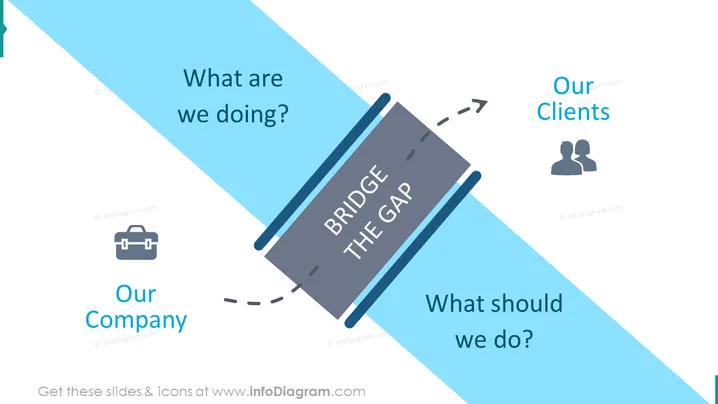
This PowerPoint slide is designed to provoke thought and discussion on the current state and future actions of an organization, with a focus on client relationships. "What are we doing?" represents an analysis of the company's current operations, "What should we do?" invites speculation and planning for future strategies, and "Our Clients" highlights the central role of customer relations. The centerpiece "BRIDGE THE GAP" metaphorically encourages finding solutions to connect current practices with future goals, emphasizing the need for transition and improvement.
Graphical Look
- A large, central, diagonal strip boldly stating "BRIDGE THE GAP" which dominates the visual focus.
- Two prominent text elements positioned at each end of the central diagonal strip, reading "Our Company" and "Our Clients" with associated icons—a briefcase for the company and a duo silhouette for clients.
- Two smaller text boxes asking questions—"What are we doing?" on the left and "What should we do?" on the right—set in a lighter font, prompting contemplation and strategic thinking.
- A dynamic, diagonal split background in two shades of blue creating a sense of division or areas that need bridging.
- Arrows indicating movement or direction leading from "Our Company" towards "BRIDGE THE GAP" and continuing towards "Our Clients," visually representing a journey.
The slide has an overall modern and sleek appearance, with a simple and visually impactful design that uses minimalistic icons and typography. The use of blue evokes a professional and calm feeling, and the clear separation of elements ensures attention is drawn to the slide's key points.
Use Cases
- Presenting a strategic plan that outlines how a company intends to address current challenges and enhance customer relationships.
- Initiating discussion during a workshop or business meeting focused on identifying gaps in service or product offerings relative to client needs or expectations.
- Serving as an opening slide in a pitch to prospective clients to communicate the company's forward-thinking approach and commitment to bridging the gap between current operations and client satisfaction.
- Employing during internal training or development sessions to encourage employees to think about the company's direction and how it impacts customer relations.
How to Edit
How to edit text & colors

How to expand / shorten diagram

How to Replace Icons in infoDiagram PPT


