
Reviews
Sus gráficos añaden un toque agradable a mis presentaciones y recientemente los usé para una de mis reuniones generales. Su conjunto de herramientas añade profesionalismo a mis diapositivas. En lugar de usar imágenes prediseñadas estándar.
Necesitaba un aspecto fresco para algunas de mis diapositivas. Había intentado encontrar una forma de crear un efecto de pincel, de subrayar, acentuar, añadir algo de color y los marcadores escritos a mano fueron justo lo que necesitaba. Muy fácil de usar, fácil de ajustar el tamaño, cambiar el color. Fue una solución asequible y perfecta, y estoy feliz de recomendarla.
El aspecto nítido y limpio de los gráficos, y el hecho de que me permitiera editar y cambiar fácilmente los colores para que coincidieran con la plantilla fue mi principal razón para comprarlos.
Description
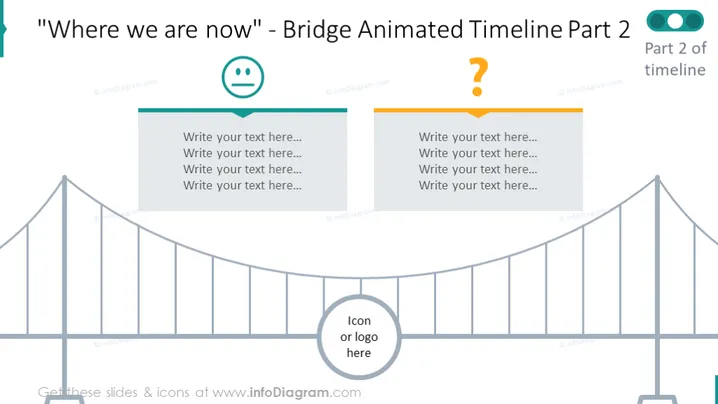
"Where we are now" - Bridge Animated Timeline Part 2
Slide Content
The slide appears to depict part of an ongoing process or timeline, specifically labeled as "Where we are now" and indicates it is part two of a timeline presentation segment. The slide is designed to showcase current progress or status within a larger sequence of events or phases. This is supported by the bridge graphic, which metaphorically represents the journey across stages, and two placeholders for content: one with a happy emoticon and a blue header, and another with a question mark and an orange header, suggesting points for presenting positive achievements and pending questions or decisions, respectively. There is also space for an icon or logo insertion.
Graphical Look
- A symbolic bridge illustration spans the width of the slide, composed of a simple line drawing with supporting columns, representing a timeline.
- Two content boxes float above the bridge: on the left, a box with a blue header and a happy emoticon; on the right, a box with an orange header and a question mark.
- The background is a light color, providing contrast for the darker-colored bridge and content boxes.
- Text placeholders within the content boxes prompt users to insert their own text.
The overall look of the slide is minimalistic and modern, utilizing a bridge as a metaphor for a timeline. The color contrast and simple icons are designed to focus attention on the progression from positive achievements to current challenges or inquiries.
Use Cases
- To visually present the current progress or status in a project timeline during a business update meeting.
- As a template for reviewing milestones and addressing questions in a strategic plan or product development process.
- For illustrating the midpoint in a storytelling narrative, separating accomplishments from upcoming challenges in a corporate presentation.
- To facilitate a discussion about what has been achieved and what uncertainties remain in a team planning session or workshop.
How to Edit
How to edit text & colors

How to expand / shorten diagram

How to Replace Icons in infoDiagram PPT


