
Reviews
Ihre Grafiken verleihen meinen Präsentationen eine nette Note, und ich habe sie kürzlich für eines meiner All-Hands-Meetings verwendet. Ihre Toolbox verleiht meinen Folien Professionalität, anstatt Standard-Clipart zu verwenden.
Ich brauchte einen neuen Blick auf einige meiner Folien. Ich habe versucht, einen Weg zu finden, einen Pinselschlag-Effekt zu erzielen, um zu unterstreichen, hervorzuheben, Farbe hinzuzufügen, und die handgeschriebenen Markierungen waren genau das Richtige. Sehr einfach zu bedienen, leicht in der Größe zu ändern, die Farbe zu ändern. Es war eine erschwingliche, perfekte Lösung und ich empfehle sie gerne weiter.
Die klare, saubere Optik der Grafiken und die Tatsache, dass ich die Farben leicht bearbeiten und an die Vorlage anpassen konnte, war mein Hauptgrund für den Kauf.
Description
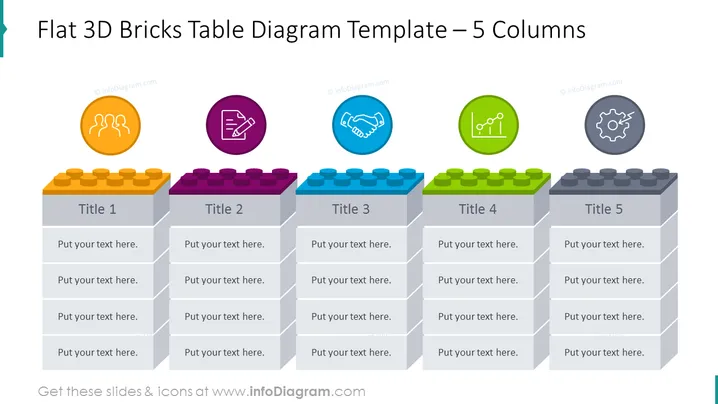
Flat 3D Bricks Table Diagram Template – 5 Columns
Slide Content
The slide presents a table diagram with five columns, each resembling a stack of 3D bricks in unique colors. Each stack represents a different concept titled 'Title 1' to 'Title 5'. Corresponding to each title stack, there are spaces for text, allowing the presenter to elaborate on points under each heading. These points could represent stages, ideas, or components that contribute to a larger concept or project.
Graphical Look
- Five brick stacks are arranged side by side in varied colors—orange, purple, blue, green, and gray.
- Each column has a placeholder for a title and multiple text placeholders for detailed points.
- Above each column, there is a circular icon with its own unique symbol—three arcs with dots, a pen and ruler forming an X, a handshaking, a chart with lines, and a gear symbol. These likely represent different themes or functions.
- The brick stacks have a three-dimensional appearance, casting subtle shadows on the bricks below.
- The background is white, which highlights the colorful bricks and icons.
The overall look of the slide is modern and colorful. The 3D bricks and bright icons are visually engaging, making the content easy to distinguish at a glance.
Use Cases
- To present a business model or strategy that consists of five key components or stages.
- For an educational presentation where each brick column represents a topic that needs further elaboration.
- In marketing, to showcase the features and benefits of a product across five distinct categories.
- For project management, to outline the five main phases of a project, from inception to completion.
How to Edit
How to edit text & colors

How to expand / shorten diagram

How to Replace Icons in infoDiagram PPT


