
Reviews
Ihre Grafiken verleihen meinen Präsentationen eine nette Note, und ich habe sie kürzlich für eines meiner All-Hands-Meetings verwendet. Ihre Toolbox verleiht meinen Folien Professionalität, anstatt Standard-Clipart zu verwenden.
Ich brauchte einen neuen Blick auf einige meiner Folien. Ich habe versucht, einen Weg zu finden, einen Pinselschlag-Effekt zu erzielen, um zu unterstreichen, hervorzuheben, Farbe hinzuzufügen, und die handgeschriebenen Markierungen waren genau das Richtige. Sehr einfach zu bedienen, leicht in der Größe zu ändern, die Farbe zu ändern. Es war eine erschwingliche, perfekte Lösung und ich empfehle sie gerne weiter.
Die klare, saubere Optik der Grafiken und die Tatsache, dass ich die Farben leicht bearbeiten und an die Vorlage anpassen konnte, war mein Hauptgrund für den Kauf.
Description
3D Bricks Exploded View Diagram Template – 4 Elements
Slide Content
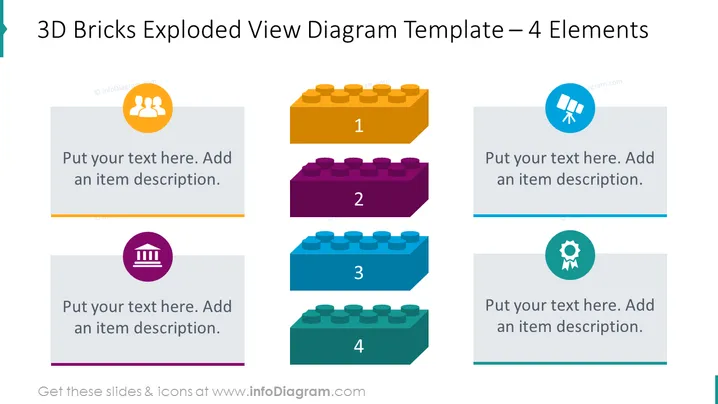
The slide is a diagram representing a modular concept using the analogy of 3D bricks, with four distinct elements. Each brick is designed to visually 'explode' out from a central point, numbered from 1 to 4, suggesting a step-by-step or modular process. The bricks have corresponding text boxes for explanations, symbolized by a unique icon indicative of the content or function of that specific module or step: teamwork, search, building, and achievement.
Graphical Look
- Four 3D brick graphics of varying colors (orange, purple, blue, and green) are arranged horizontally across the slide.
- Each brick is numbered from 1 to 4, indicating a sequence or steps.
- Above each brick, there's a round icon in a circular background with different graphics (three people, a magnifying glass, a building, and a cog/gear with a check mark).
- Below each brick, a rectangular text box with a placeholder text prompts the presenter to "Put your text here. Add an item description."
- A contrasting color strip underlines each text box, matching the color of the corresponding brick.
The slide uses bright, attention-grabbing colors and a clean, organized layout with easily recognizable icons. Its 3D style gives depth and enhances the visual appeal of the elements.
Use Cases
- To present the phases of a project and their sequences.
- To explain different components of a system or an organizational structure.
- To highlight four key areas of focus or strategic pillars in a business plan.
- To showcase the steps in a process improvement or workflow detailing the goals of each step.
How to Edit
How to edit text & colors

How to expand / shorten diagram

How to Replace Icons in infoDiagram PPT


