
Reviews
Ihre Grafiken verleihen meinen Präsentationen eine nette Note, und ich habe sie kürzlich für eines meiner All-Hands-Meetings verwendet. Ihre Toolbox verleiht meinen Folien Professionalität, anstatt Standard-Clipart zu verwenden.
Ich brauchte einen neuen Blick auf einige meiner Folien. Ich habe versucht, einen Weg zu finden, einen Pinselschlag-Effekt zu erzielen, um zu unterstreichen, hervorzuheben, Farbe hinzuzufügen, und die handgeschriebenen Markierungen waren genau das Richtige. Sehr einfach zu bedienen, leicht in der Größe zu ändern, die Farbe zu ändern. Es war eine erschwingliche, perfekte Lösung und ich empfehle sie gerne weiter.
Die klare, saubere Optik der Grafiken und die Tatsache, dass ich die Farben leicht bearbeiten und an die Vorlage anpassen konnte, war mein Hauptgrund für den Kauf.
Description
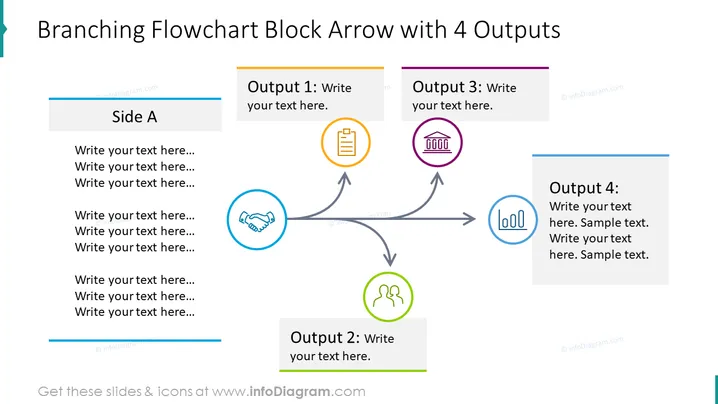
Branching Flowchart Block Arrow with 4 Outputs
Slide Content
The slide presents a flowchart structure labeled "Branching Flowchart Block Arrow with 4 Outputs," which is designed to showcase a process or system that diverges into four different outcomes or options (Output 1-4). Each output is accompanied by a colored header and an icon, suggesting that customized text can be added to describe the specific nature or content of each resultant path. The visualization aids in understanding complex decision-making processes or operational workflows, illustrating multiple possible consequences or actions stemming from a single decision point or event (Side A).
Graphical Look
- A large, bold title at the top in dark gray
- A blue banner on the left with "Side A" and multiple lines for adding text
- Four rectangular shapes across the top and right side, each with a uniquely colored header and area for text
- Icons within circles beside each output box, corresponding to different actions or documents
- Gray curved arrows indicating the flow from Side A to each output
- Each arrow and corresponding circle icon is tinted with a matching color to its output box (orange for Output 1, green for Output 2, purple for Output 3, and blue for Output 4)
The slide has a clean and professional design, employing a crisp white background contrasting strongly with the colorful elements. Its layout is well balanced, with a clear directional flow that simplifies the interpretation of the diagram.
Use Cases
- Explaining decision trees or branching logic in project management presentations
- Detailing multiple outcomes of a business strategy during executive meetings
- Visualizing workflow processes in operational or training materials
- Displaying potential directions for product development in a brainstorming session
How to Edit
How to edit text & colors

How to expand / shorten diagram

How to Replace Icons in infoDiagram PPT


