
Reviews
Your graphics add a nice touch to my presentations and I recently used them for one of my all-hands meetings. Your toolbox adds professionalism to my slides. Instead of using standard clipart.
I needed a fresh look at some of my slides. I've tried to find a way to create a paintbrush effect, to underline, accentuate, add some color and the handwritten markers were just the things. Very easy to use, easy to size, change the color. It was an affordable, perfect solution and I'm happy to recommend it.
The crisp, clean look of the graphics, and the fact that it allowed me to easily edit and change the colors to match the template was my main reason for purchasing them.
Description
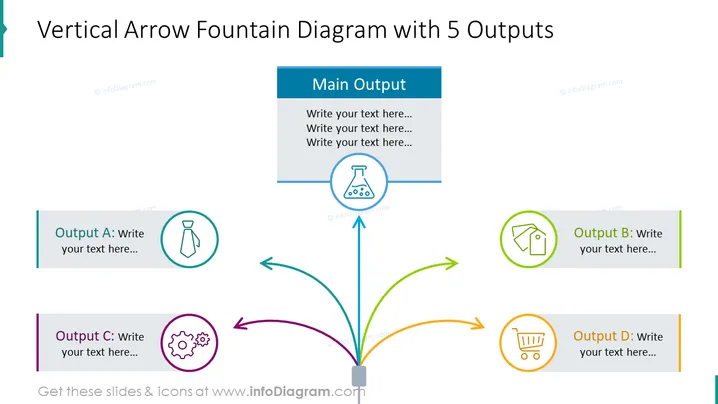
Vertical Arrow Fountain Diagram with 3 Outputs
Slide Content
The slide illustrates a process or an idea centralizing into a single point and then branching off into three different outcomes, labeled Output A, Output B, and Output C. Each output is accompanied by a place to write text, allowing for a detailed explanation of these individual outcomes. The central point suggests a convergence or a collection of inputs, which then diversify, symbolizing a variety of possible consequences or results from a central action or decision.
Graphical Look
- A large, vertical arrow originates from the bottom and splits into three separate arrows, each pointing towards a rectangular block.
- The central vertical arrow is connected to a square base at the bottom center of the slide.
- Each rectangular block contains the title 'Output' with a distinct letter (A, B, C) and has space for text underneath.
- Every output block is associated with a different color (dark blue for A, teal for B, and green for C) and has a unique icon to the left side: a beaker for Output A, a tie for Output B, and a house outline for Output C.
- The icons are circled, matching the colors of their corresponding output blocks.
- All text and icons are centered in their respective elements for a balanced appearance.
- The background of the slide is plain white which highlights the colored elements.
The slide features a clean and professional design with vibrant colored blocks and icons to clearly distinguish between different outputs. Its hierarchical structure and use of arrows effectively communicate the flow of information or decision-making process.
Use Cases
- Detailing different scenarios or outcomes from a central business strategy or decision.
- Showing the flow of processes in project management, where a single input leads to multiple pathways.
- Demonstrating product features or service offerings that stem from one core value or function.
- Illustrating divergent thinking or brainstorming results where one idea can lead to multiple innovations or solutions.
How to Edit
How to edit text & colors

How to expand / shorten diagram

How to Replace Icons in infoDiagram PPT


