
Reviews
Your graphics add a nice touch to my presentations and I recently used them for one of my all-hands meetings. Your toolbox adds professionalism to my slides. Instead of using standard clipart.
I needed a fresh look at some of my slides. I've tried to find a way to create a paintbrush effect, to underline, accentuate, add some color and the handwritten markers were just the things. Very easy to use, easy to size, change the color. It was an affordable, perfect solution and I'm happy to recommend it.
The crisp, clean look of the graphics, and the fact that it allowed me to easily edit and change the colors to match the template was my main reason for purchasing them.
Description
Sample Title
Slide Content
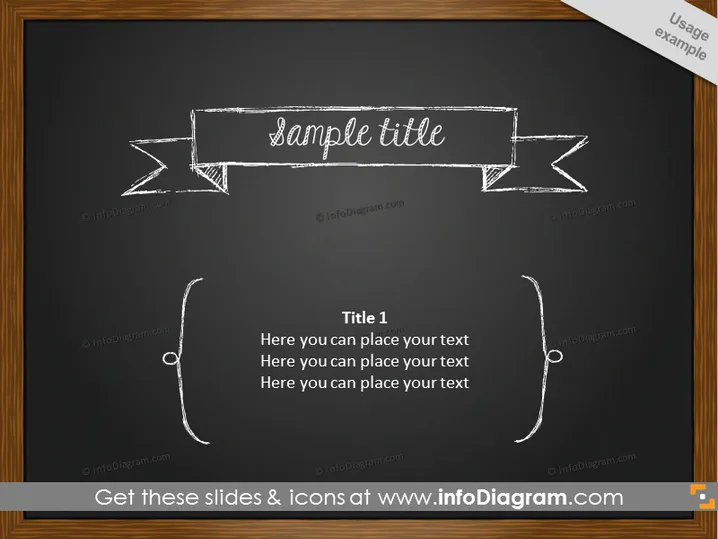
The PowerPoint slide is designed to present information in an artistic, chalkboard-style format. "Sample Title" suggests the placeholder text for what may be a presentation's main topic or section heading. Below, "Title 1" likely represents a subheading or a key point within the slide, followed by three lines of placeholder text indicating where additional details or discussion points could be placed. Each line under Title 1 invites the presenter to elaborate on the subject or to list multiple related items for discussion.
Graphical Look
- The slide background simulates a dark chalkboard texture.
- A white, sketch-like ribbon banner displays the text "Sample Title" at the top center.
- Below the banner, a hand-drawn style brace (curly bracket) surrounds the heading "Title 1" with expanded lines for text underneath.
- The font and graphic style give the impression of text and drawings created with white chalk.
- The layout appears hand-crafted and informal, with an emphasis on simplicity and creativity.
The overall look of the slide is that of a blackboard in a classroom setting, using a white-chalk-on-black motif to mimic an educational environment. The hand-drawn elements add a personal and creative touch to the presentation.
Use Cases
- Introducing a new section or topic in an educational or training presentation, leveraging the traditional blackboard theme.
- Outlining key points in a creative or informal business meeting to capture the simplicity and straightforwardness of the concept.
- Utilizing the slide's design in brainstorming sessions, where the rustic appearance aligns with the generative and free-flowing nature of idea generation.
- Delivering a presentation in settings where a more casual and engaging visual style is preferred to maintain audience interest.
How to Edit
How to edit text & colors

How to expand / shorten diagram

How to Replace Icons in infoDiagram PPT


