
Reviews
Sus gráficos añaden un toque agradable a mis presentaciones y recientemente los usé para una de mis reuniones generales. Su conjunto de herramientas añade profesionalismo a mis diapositivas. En lugar de usar imágenes prediseñadas estándar.
Necesitaba un aspecto fresco para algunas de mis diapositivas. Había intentado encontrar una forma de crear un efecto de pincel, de subrayar, acentuar, añadir algo de color y los marcadores escritos a mano fueron justo lo que necesitaba. Muy fácil de usar, fácil de ajustar el tamaño, cambiar el color. Fue una solución asequible y perfecta, y estoy feliz de recomendarla.
El aspecto nítido y limpio de los gráficos, y el hecho de que me permitiera editar y cambiar fácilmente los colores para que coincidieran con la plantilla fue mi principal razón para comprarlos.
Description
3D Box Elements Diagram – 6 Items Template
Slide Content
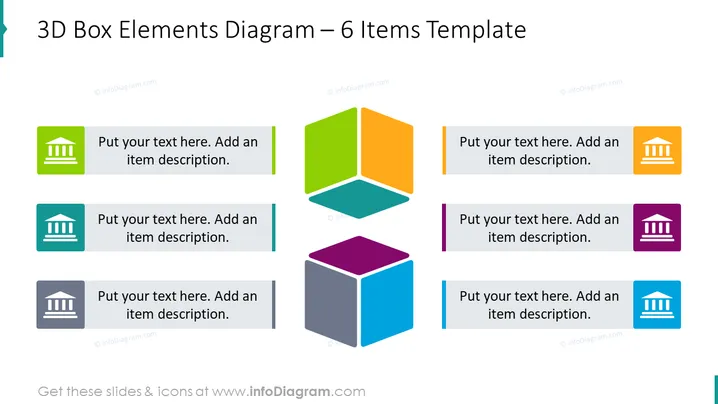
The slide is a 3D Box Elements Diagram composed of six colored boxes intended to represent different items or concepts. Each box is paired with a space for text, guiding the presenter to "Put your text here. Add an item description." This format suggests that each box might represent a unique idea or component that contributes to a larger concept or process, and the text fields are provided for further elaboration on each element.
Graphical Look
- A central hexagon made of six 3D cubes of different colors (green, orange, blue, red, violet, and gray).
- Each colored cube is paired with a placeholder text box for item descriptions.
- The text boxes are color coordinated with the cubes to which they correspond.
- Six distinct icons, one on each cube, symbolize various themes or topics.
- A consistent and modern font is used for all text placeholders.
- The slide background is plain white, which highlights the colors of the 3D cubes.
The slide presents a clean and modern design, using a vibrant color palette. The 3D cubes are showcased in a visually engaging hexagonal arrangement, which, along with matching colored text fields, creates an aesthetically balanced composition.
Use Cases
- To display six components of a business model or organizational structure.
- For summarizing key points or concepts in a strategic presentation.
- As a visual agenda for a workshop, assigning one cube to each topic to be covered.
- In marketing materials to show a range of products or services with their key features or benefits.
How to Edit
How to edit text & colors

How to expand / shorten diagram

How to Replace Icons in infoDiagram PPT


