
Reviews
The icons are fantastic, easy to use, and will add value to any project or presentation. Keep up the great work.
I love how simple infoDiagram's solutions are and the personal interest they took in my work. Recommended 1000%!
The crisp, clean look of the graphics, and the fact that it allowed me to easily edit and change the colors to match the template was my main reason for purchasing them.
Description
Bottom-up Progress Stairs Diagram
4 Steps and Details Textbox
Slide Content
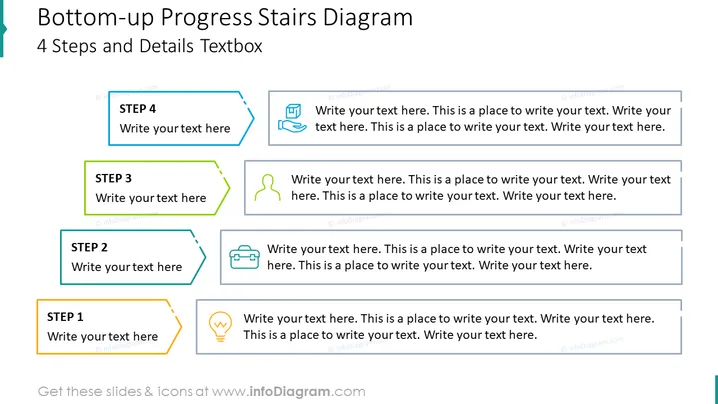
The slide appears to present a "Bottom-up Progress Stairs Diagram" outlining a four-step process. Each step is represented by a colored, numbered box with an icon next to it, and adjoining text placeholders suggesting the audience to "Write your text here". This kind of layout is typically used for illustrating a progression or sequential steps within a project or strategy. Each step is meant to provide a brief description or detail of the process it represents, helping to break down complex information into more manageable parts.
Graphical Look
- A vertical stair-step design with four distinct levels.
- Each step is represented by a rectangular shape with a border color that varies from orange at the bottom to blue at the top.
- The rectangles have a folded corner effect, creating a three-dimensional appearance.
- Every step is associated with an icon to its left, varying in design from a light bulb to a briefcase.
- Text boxes adjacent to each shape provide space for explanatory text.
- The overall color palette is a mix of blue, green, yellow, and orange hues.
The slide features a modern and clean design, with a clear hierarchy that leads the viewer's eye up the "stairs". The use of icons aids visual interest and provides quick symbolic representation of each step's content.
Use Cases
- Explaining the stages of a project from initial concept to completion.
- Describing the levels of a hierarchical organizational process or system.
- Outlining steps in a developmental or educational program.
- Visualizing goals and milestones in a business plan or proposal.
How to Edit
How to edit text & colors

How to expand / shorten diagram

How to Replace Icons in infoDiagram PPT


