
Reviews
Your graphics add a nice touch to my presentations and I recently used them for one of my all-hands meetings. Your toolbox adds professionalism to my slides. Instead of using standard clipart.
I needed a fresh look at some of my slides. I've tried to find a way to create a paintbrush effect, to underline, accentuate, add some color and the handwritten markers were just the things. Very easy to use, easy to size, change the color. It was an affordable, perfect solution and I'm happy to recommend it.
The crisp, clean look of the graphics, and the fact that it allowed me to easily edit and change the colors to match the template was my main reason for purchasing them.
Description
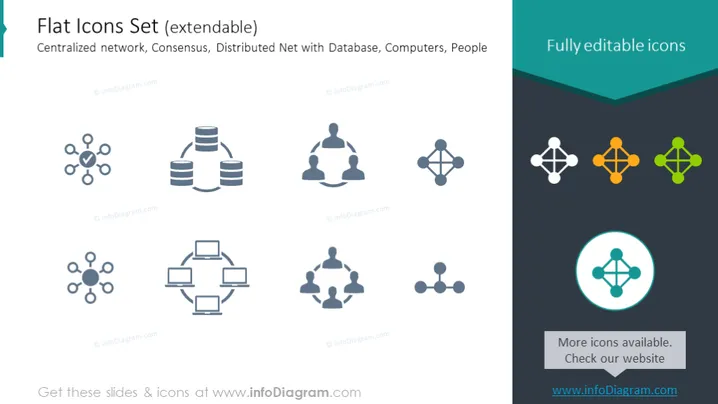
Flat Icons Set (extendable)
Slide Content
The PowerPoint slide presents a collection of icons representing different concepts related to networking and data. These include symbols for centralized network, consensus, and distributed network with a database, among other concepts. Each icon visually communicates a different network structure or concept: The centralized network icon depicts a central node connected to several peripheral nodes, illustrating a central point of control. The consensus icon represents an agreement model in a network through interconnected nodes. The distributed net with database icon indicates a decentralized data structure, signifying no single point of failure. Lastly, the inclusion of people icons implies a human aspect to these networks, typically referring to users or administrators.
Graphical Look
- The slide background is split into two colors: a light gray on the left and a teal shade on the right.
- There are seven icons in total arranged in two rows of four and three respectively, with the first row starting on the left side of the slide and the second row aligned to the right side of the slide.
- Each icon is accompanied by a text label located below the graphics, though the specific text is not shown.
- The icons are simple, flat, and monochromatic, with one of them highlighted in green and encircled to stand out.
- All icons, except for the highlighted one, are in varying shades of blue to maintain a uniform color theme.
- The title of the slide is in larger, bold font, whereas the subtitle uses a smaller font size.
- There is a call-to-action section at the bottom right corner of the slide, containing a lighter shade of blue circle with an icon inside and adjacent text promoting more icon availability.
The presentation uses a clean and modern design, with the use of contrasting colors to draw attention to specific areas. The simplicity of the icons provides a clear visual representation of networking concepts.
Use Cases
- To visually enhance sections discussing different network architectures or data structures during a tech-related business presentation.
- When explaining the roles of individuals within various network configurations in team meetings or training sessions.
- As part of a slide deck for a seminar or workshop about data management, illustrating concepts like distributed databases or consensus algorithms.
- In sales pitches or product demos that feature software or services related to networking, to help potential clients visualize the offered solutions.
How to Edit
How to edit text & colors

How to expand / shorten diagram

How to Replace Icons in infoDiagram PPT


