
Reviews
The icons are fantastic, easy to use, and will add value to any project or presentation. Keep up the great work.
I love how simple infoDiagram's solutions are and the personal interest they took in my work. Recommended 1000%!
The crisp, clean look of the graphics, and the fact that it allowed me to easily edit and change the colors to match the template was my main reason for purchasing them.
Description
USA: States
Slide Content
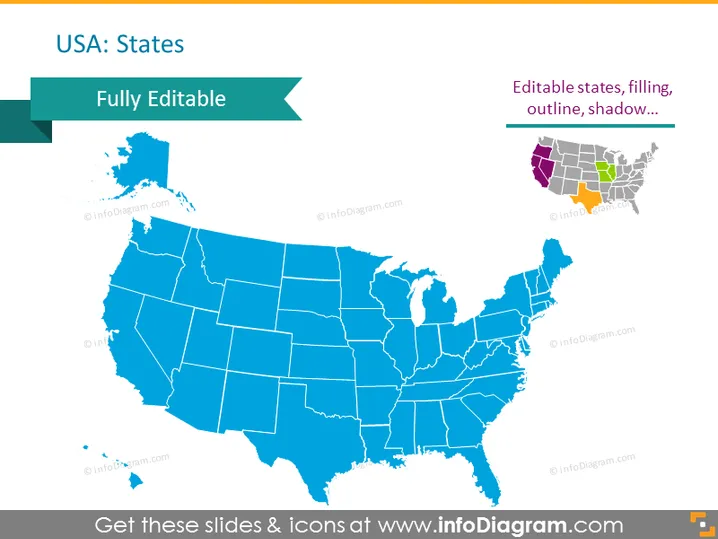
The PowerPoint slide presents a map of the USA highlighting that the states are fully editable. This means each state's shape can be individually manipulated in terms of color, outline, and shadow, allowing for customization based on the presenter's needs. A small example on the right illustrates how individual states can be edited with different colors and effects to stand out on the map.
Graphical Look
- A large map of the United States occupies the majority of the slide, colored in a uniform shade of blue.
- A banner at the top left corner is labeled "USA: States" in large, white font.
- Just below this banner, a smaller green arrow banner states "Fully Editable."
- On the top right, a legend explains "Editable states, filling, outline, shadow..." alongside a mini-map showcasing a few states in different colors with effects.
- The maps and banners have a subtle shadow effect, giving a slight 3D appearance.
The overall look of the slide is clean and professional, with a clear emphasis on the editability of the map. The use of shadow effects provides depth, while the color-coded mini-map serves as a visual aid for the editable feature.
Use Cases
- To show geographical divisions or regions within a business for territorial sales reporting.
- To highlight specific states for location-based marketing strategies or campaigns.
- For educational presentations, teaching about geography or demographics in the USA.
- In political campaign presentations to focus on particular states of interest or electoral significance.
How to Edit
How to edit text & colors

How to expand / shorten diagram

How to Replace Icons in infoDiagram PPT


