
Reviews
Ihre Grafiken verleihen meinen Präsentationen eine nette Note, und ich habe sie kürzlich für eines meiner All-Hands-Meetings verwendet. Ihre Toolbox verleiht meinen Folien Professionalität, anstatt Standard-Clipart zu verwenden.
Ich brauchte einen neuen Blick auf einige meiner Folien. Ich habe versucht, einen Weg zu finden, einen Pinselschlag-Effekt zu erzielen, um zu unterstreichen, hervorzuheben, Farbe hinzuzufügen, und die handgeschriebenen Markierungen waren genau das Richtige. Sehr einfach zu bedienen, leicht in der Größe zu ändern, die Farbe zu ändern. Es war eine erschwingliche, perfekte Lösung und ich empfehle sie gerne weiter.
Die klare, saubere Optik der Grafiken und die Tatsache, dass ich die Farben leicht bearbeiten und an die Vorlage anpassen konnte, war mein Hauptgrund für den Kauf.
Description
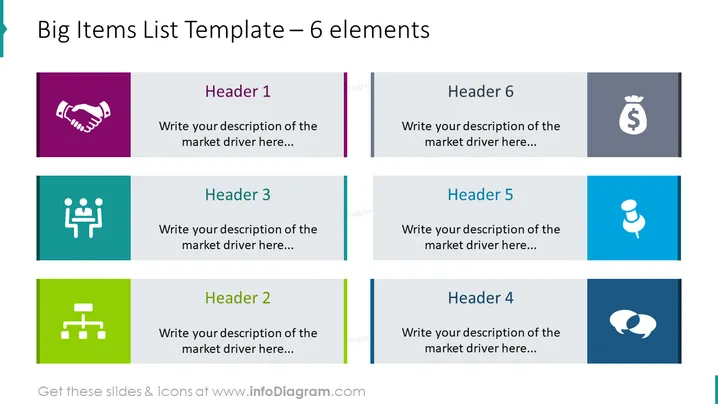
Big Items List Template – 6 elements
Slide Content
The slide is oriented towards presenting a list of six distinct elements, which can represent key business drivers, strategic priorities, or other important categories. Each element has a unique icon, a header, and space for a description. For instance, "Header 1" with a handshake icon could symbolize partnership or collaboration, while "Header 6" with a dollar bag icon might denote financial goals or revenue streams. This organization allows a presenter to emphasize different aspects of a topic in a clear and structured manner.
Graphical Look
- Six colored rectangular shapes are arranged in two rows, with three shapes per row.
- Each rectangle has a distinct color (from top left to bottom right: purple, gray, teal, green, blue, dark blue).
- At the top left corner of each rectangle, there is a white icon that visually represents the topic for that section.
- A vertical colored line at the center of each rectangle separates the icon from the text area.
- Each rectangle features a placeholder text "Header" followed by a number (1 to 6) in large, bold font.
- Below the header, there is a smaller placeholder text for descriptions that reads "Write your description of the market driver here..."
- The overall design is modern and clean, using crisp lines, bold colors, and minimalist icons for visual appeal.
The overall look of the slide is very structured and professional, using color coding and icons to provide an intuitive and visually engaging way to convey complex information. The design is suitable for corporate and business environments where clarity and visual aid are pivotal.
Use Cases
- Presenting key components of a business strategy or marketing plan.
- Summarizing the major points of a proposal or project with visual cues.
- Outlining the main features or benefits of a product in a sales pitch.
- Comparing different segments or metrics in a performance report.
How to Edit
How to edit text & colors

How to expand / shorten diagram

How to Replace Icons in infoDiagram PPT


