
Reviews
Sus gráficos añaden un toque agradable a mis presentaciones y recientemente los usé para una de mis reuniones generales. Su conjunto de herramientas añade profesionalismo a mis diapositivas. En lugar de usar imágenes prediseñadas estándar.
Necesitaba un aspecto fresco para algunas de mis diapositivas. Había intentado encontrar una forma de crear un efecto de pincel, de subrayar, acentuar, añadir algo de color y los marcadores escritos a mano fueron justo lo que necesitaba. Muy fácil de usar, fácil de ajustar el tamaño, cambiar el color. Fue una solución asequible y perfecta, y estoy feliz de recomendarla.
El aspecto nítido y limpio de los gráficos, y el hecho de que me permitiera editar y cambiar fácilmente los colores para que coincidieran con la plantilla fue mi principal razón para comprarlos.
Description
##Benefit Comparison Table Style, 3 Columns Infographic
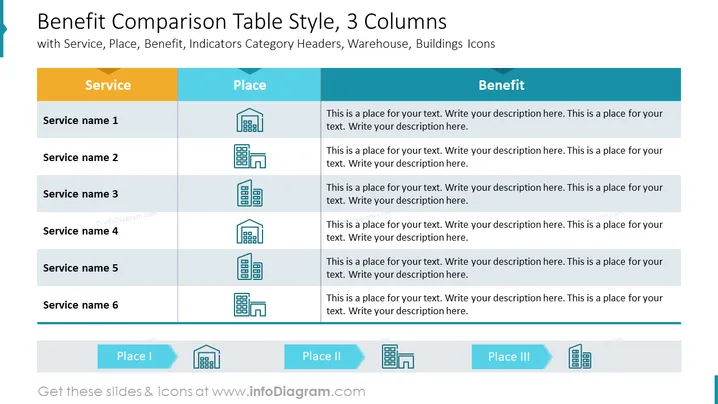
This analytical slide compares different business localization using a table. If you want to highlight the type of place, use our outline buildings representing various facilities such as offices or warehouses. Putting them in the legend r in the column describing localization makes the diagram readable and easy to digest.
##What Does This Benefit Comparison Table Style, 3 Columns Infographic Include?
- Editable 3x7 table with colorful title section describing the service, place, and benefit
- Illustrated legend with arrow-shaped text containers for your descriptions
- Outline icons of a warehouse, building, office, headquarters, skyscraper
This Benefit Comparison Table Style, 3 Columns Infographic is a part of our Business PowerPoint Table Design & KPI List, Flat Style PPT Template.
How to Edit
How to edit text & colors

How to expand / shorten diagram

How to Replace Icons in infoDiagram PPT


