
Reviews
Sus gráficos añaden un toque agradable a mis presentaciones y recientemente los usé para una de mis reuniones generales. Su conjunto de herramientas añade profesionalismo a mis diapositivas. En lugar de usar imágenes prediseñadas estándar.
Necesitaba un aspecto fresco para algunas de mis diapositivas. Había intentado encontrar una forma de crear un efecto de pincel, de subrayar, acentuar, añadir algo de color y los marcadores escritos a mano fueron justo lo que necesitaba. Muy fácil de usar, fácil de ajustar el tamaño, cambiar el color. Fue una solución asequible y perfecta, y estoy feliz de recomendarla.
El aspecto nítido y limpio de los gráficos, y el hecho de que me permitiera editar y cambiar fácilmente los colores para que coincidieran con la plantilla fue mi principal razón para comprarlos.
Description
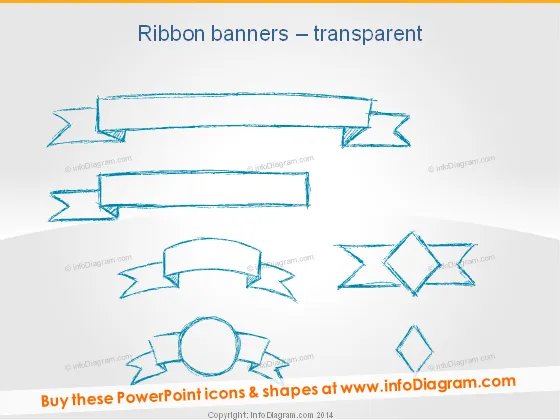
Ribbon banners – transparent
Slide Content
The PowerPoint slide titled "Ribbon banners – transparent" features various styles of ribbon banner graphics, which can be used to highlight or emphasize text within a presentation. The banners have a sketch-like, hand-drawn aesthetic and appear to be semi-transparent, suggesting that they can overlay other content without fully obscuring it. Each ribbon banner is distinct in shape and design, catering to a range of presentation needs and styles.
Graphical Look
- The slide background is a subtle gradient from light gray at the top to white at the bottom.
- There are six ribbon banner graphics, each with a unique style.
- The topmost graphic is a long, horizontal banner with pointed ends and two folds.
- The second graphic portrays a banner with a more elaborate design, including a central fold and waving ends.
- The middle row features two graphics: one is a compact, curved banner, and the other presents a pointed double-fold design.
- The bottom row includes a circular banner with a surrounding loop, and a diamond-shaped graphic with a banner crossing through its center.
The slide's overall look is minimalist and creative, with a focus on hand-drawn, sketch-style ribbon banners against a neutral background. The graphics provide a casual and artistic feel while maintaining a professional appearance.
Use Cases
- Highlighting section titles or key points in a business presentation to draw attention.
- Adding a creative touch to agenda or summary slides without overwhelming the content.
- Enhancing marketing materials when presenting new products or services with stylized captions.
- Decorating award or recognition slides in a company meeting to distinguish honorees or achievements.
How to Edit
How to edit text & colors

How to expand / shorten diagram

How to Replace Icons in infoDiagram PPT


