
Reviews
Sus gráficos añaden un toque agradable a mis presentaciones y recientemente los usé para una de mis reuniones generales. Su conjunto de herramientas añade profesionalismo a mis diapositivas. En lugar de usar imágenes prediseñadas estándar.
Necesitaba un aspecto fresco para algunas de mis diapositivas. Había intentado encontrar una forma de crear un efecto de pincel, de subrayar, acentuar, añadir algo de color y los marcadores escritos a mano fueron justo lo que necesitaba. Muy fácil de usar, fácil de ajustar el tamaño, cambiar el color. Fue una solución asequible y perfecta, y estoy feliz de recomendarla.
El aspecto nítido y limpio de los gráficos, y el hecho de que me permitiera editar y cambiar fácilmente los colores para que coincidieran con la plantilla fue mi principal razón para comprarlos.
Description
Usage example
Slide Content
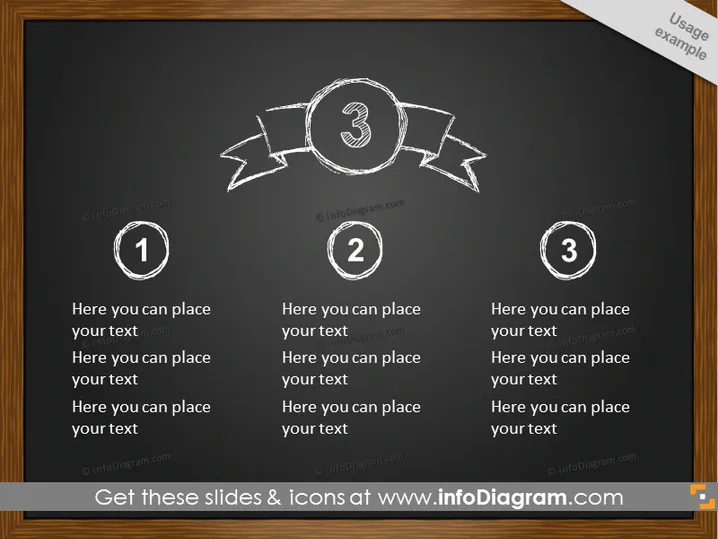
The PowerPoint slide, titled "Usage example," appears to be designed for presenting a three-step process or a list of three items. Each step has a dedicated place for custom text, suggesting that the user can personalize the information for each numbered point. These points could represent phases, priorities, or key takeaways in a process or argument.
Graphical Look
- The slide has a dark, chalkboard-like background with white and gray text and graphics.
- Three numbered circular shapes are aligned horizontally across the slide, suggesting a sequence.
- White chalk-like lines and arrows connect these circular shapes, enhancing the sense of progression.
- The numbers within the circles are large and prominent, drawing attention to the sequence order (1, 2, 3).
- Placeholder text is provided below each numbered shape for the insertion of detailed information.
- The banner across the top central circle adds a decorative element and emphasizes the central position.
- The typography mimics handwriting, which complements the chalkboard style of the slide.
The overall look of the slide is clean and structured, providing a visual metaphor for a standard process or steps to be explained. The handwritten style and chalkboard theme give it an educational and informal feel.
Use Cases
- To illustrate a step-by-step process during a business presentation, explaining the phases of a project or initiative.
- To highlight three key strategies or concepts in a simple and visually engaging manner.
- To present the sequential steps of a workflow or procedure in training or instructional materials.
- To use in brainstorming sessions as a way to organize and outline main points or action items.
How to Edit
How to edit text & colors

How to expand / shorten diagram

How to Replace Icons in infoDiagram PPT


