
Reviews
Ihre Grafiken verleihen meinen Präsentationen eine nette Note, und ich habe sie kürzlich für eines meiner All-Hands-Meetings verwendet. Ihre Toolbox verleiht meinen Folien Professionalität, anstatt Standard-Clipart zu verwenden.
Ich brauchte einen neuen Blick auf einige meiner Folien. Ich habe versucht, einen Weg zu finden, einen Pinselschlag-Effekt zu erzielen, um zu unterstreichen, hervorzuheben, Farbe hinzuzufügen, und die handgeschriebenen Markierungen waren genau das Richtige. Sehr einfach zu bedienen, leicht in der Größe zu ändern, die Farbe zu ändern. Es war eine erschwingliche, perfekte Lösung und ich empfehle sie gerne weiter.
Die klare, saubere Optik der Grafiken und die Tatsache, dass ich die Farben leicht bearbeiten und an die Vorlage anpassen konnte, war mein Hauptgrund für den Kauf.
Description
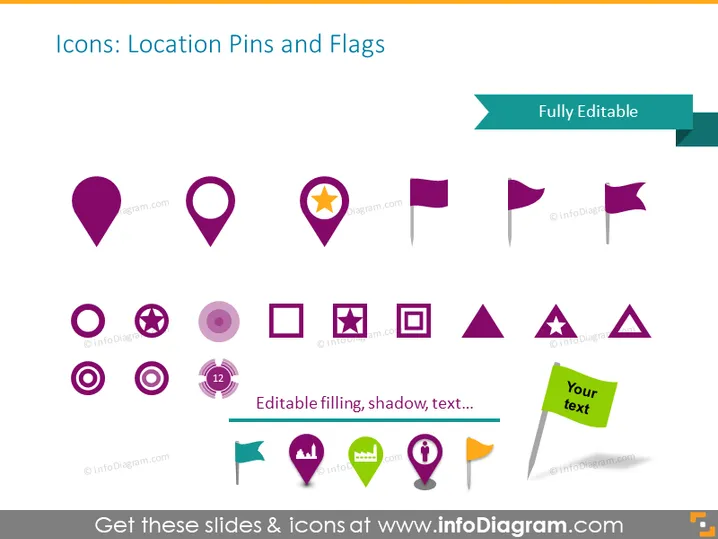
Icons: Location Pins and Flags
Slide Content
The PowerPoint slide presents a collection of iconography related to location pins and flags, suggesting that each icon can be customized for different presentation needs by editing the color, shadow, and text. The icons include various styles of location pins from basic to more detailed designs, some including symbols like stars or circles within them. The flags range from simple, pointed flags to those resembling pennants or banners, providing a versatile set of markers for representing different geographical or metaphorical points of interest within a presentation.
Graphical Look
- The slide background is white, which makes the colorful icons stand out.
- Multiple icons are displayed in two rows, each row featuring a combination of location pins and flags.
- Location pins vary in design, with different shapes and internal symbols, including a star and concentric circles.
- Flags are depicted in various styles, some resembling traditional flag shapes, while others are more triangular or have additional shapes layered on top.
- Each icon utilizes a similar color palette, with purple shades dominating, although green and yellow are also present in one icon.
- There is a note below one set of icons indicating "Editable filling, shadow, text..." to show customization options.
- In the top right corner, a banner element with text "Fully Editable" indicates the customizability of the icons.
The slide has a clean and modern feel with a straightforward display of icons. The icons are designed with a unified color scheme that is visually pleasing and easy on the eyes.
Use Cases
- To pinpoint locations during a presentation about geographic expansion or market penetration.
- For indicating office locations, distribution centers, or retail stores on a strategy or operations map.
- In a marketing presentation, to show areas of advertising focus or customer density.
- During a project update meeting, to highlight project sites or areas of responsibility for team members.
How to Edit
How to edit text & colors

How to expand / shorten diagram

How to Replace Icons in infoDiagram PPT


