
Reviews
Ihre Grafiken verleihen meinen Präsentationen eine nette Note, und ich habe sie kürzlich für eines meiner All-Hands-Meetings verwendet. Ihre Toolbox verleiht meinen Folien Professionalität, anstatt Standard-Clipart zu verwenden.
Ich brauchte einen neuen Blick auf einige meiner Folien. Ich habe versucht, einen Weg zu finden, einen Pinselschlag-Effekt zu erzielen, um zu unterstreichen, hervorzuheben, Farbe hinzuzufügen, und die handgeschriebenen Markierungen waren genau das Richtige. Sehr einfach zu bedienen, leicht in der Größe zu ändern, die Farbe zu ändern. Es war eine erschwingliche, perfekte Lösung und ich empfehle sie gerne weiter.
Die klare, saubere Optik der Grafiken und die Tatsache, dass ich die Farben leicht bearbeiten und an die Vorlage anpassen konnte, war mein Hauptgrund für den Kauf.
Description
Circle banners - transparent
Slide Content
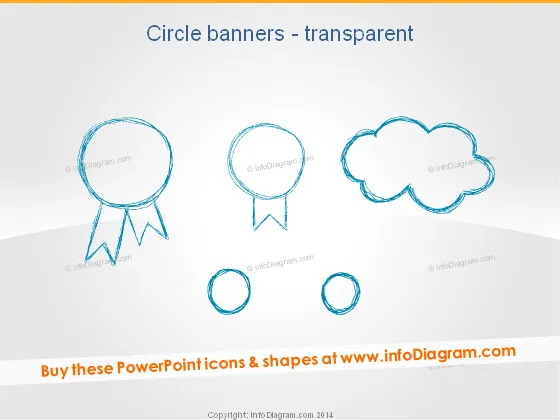
The PowerPoint slide is titled "Circle banners - transparent" and presents five different circular banner icons with a sketch-like, hand-drawn aesthetic. These banners vary in shape and style, suggesting different contexts for use, such as awards, chat, cloud storage, or other circular elements within a presentation. Each banner is designed to have a see-through background, allowing them to integrate seamlessly with additional slide content.
Graphical Look
- Sketched icons resembling circular banners with varying designs: one with a ribbon, one with a speech tail, one cloud-shaped, and two simple circles.
- The icons have a hand-drawn, dashed line style with a transparent background for flexible use on different backgrounds.
- The primary color of the icons is a shade of blue, providing a cool and professional tone to the design.
- The larger icons are positioned towards the top of the slide, while the smaller circles are at the bottom, creating a visually balanced composition.
- The slide is clean and minimalistic with plenty of white space around the icons, adding to the modern and professional appearance of the slide design.
The overall look of the slide is modern and minimalistic, employing a cool blue color scheme that conveys a sense of professionalism. The hand-drawn quality of the icons adds a creative flare to the simple and clean design.
Use Cases
- Explaining different stages in a process or distinct ideas, with each circular banner icon representing a specific step or concept.
- Highlighting achievements or important points, using the ribbon banner icon to symbolize awards or commendations.
- Engaging with the audience by incorporating the speech bubble icon for questions, comments, or interactive discussion points.
- Illustrating cloud services or thought processes when integrating the cloud-shaped icon within technology or brainstorming presentations.
How to Edit
How to edit text & colors

How to expand / shorten diagram

How to Replace Icons in infoDiagram PPT


