
Reviews
Your slides are my "secret sauce" when it comes to presenting my ideas to clients. I save a lot of time.
J'avais un délai de livraison à respecter et je n'avais pas le temps de créer une variété de modèles de diapositives. Infodiagram m'a proposé des options faciles à télécharger et à personnaliser en fonction de mes besoins !
Vos diapositives suscitent souvent de précieux commentaires et idées de la part de mon équipe, ce qui améliore les diapositives finales.
Description
Icons: Handdrawn Accomplishment Signs
Slide Content
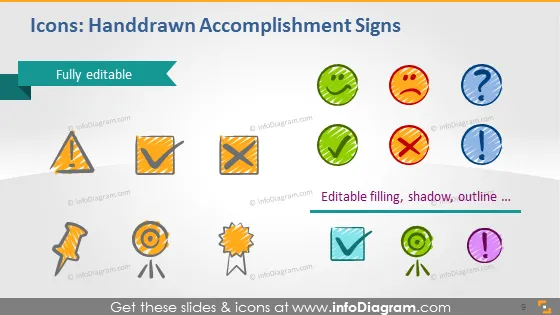
The slide presents a collection of handdrawn icons designed to represent various signs of accomplishment or status. The icons include check marks, crosses, question marks, and other symbols associated with achievement, query, incorrectness, caution, and notification. Each icon is visually distinctive and carries a specific connotation, conveying immediate recognition of the concept it represents. The slide emphasizes that these icons are fully editable, allowing for customization in terms of color, filling, shadow, and outline.
Graphical Look
- The slide background is white with a gradient toward the bottom that fades to pale gray.
- Each icon is contained within a colored circle with a sketched appearance.
- The colors of the circles are assorted, including green, red, blue, orange, and purple.
- There is a teal banner in the upper left corner indicating the icons are "Fully editable."
- The icons include two check marks, two crosses, a question mark, a caution sign, a target, a badge, a lightbulb, and an exclamation mark.
- The icons have drop shadows, giving them a slight 3D effect and making them stand out against the background.
- The text label "Editable filling, shadow, outline..." is present at the bottom right, complementing the icons.
The slide has a playful and creative appearance due to the handdrawn style of the icons. The diverse color palette and sketch-like aesthetic provide an engaging visual experience.
Use Cases
- In a business presentation to visually represent project status, such as completed tasks (check marks) or issues to address (crosses and exclamation marks).
- During a team meeting to highlight achievements or points of consideration with the corresponding icons.
- In training materials or user guides to indicate steps that have been accomplished or to delineate FAQ sections with question marks.
- For personal productivity tools or applications as visual cues for task management and progress tracking.
How to Edit
How to edit text & colors

How to expand / shorten diagram

How to Replace Icons in infoDiagram PPT


