
Reviews
Sus gráficos añaden un toque agradable a mis presentaciones y recientemente los usé para una de mis reuniones generales. Su conjunto de herramientas añade profesionalismo a mis diapositivas. En lugar de usar imágenes prediseñadas estándar.
Necesitaba un aspecto fresco para algunas de mis diapositivas. Había intentado encontrar una forma de crear un efecto de pincel, de subrayar, acentuar, añadir algo de color y los marcadores escritos a mano fueron justo lo que necesitaba. Muy fácil de usar, fácil de ajustar el tamaño, cambiar el color. Fue una solución asequible y perfecta, y estoy feliz de recomendarla.
El aspecto nítido y limpio de los gráficos, y el hecho de que me permitiera editar y cambiar fácilmente los colores para que coincidieran con la plantilla fue mi principal razón para comprarlos.
Description
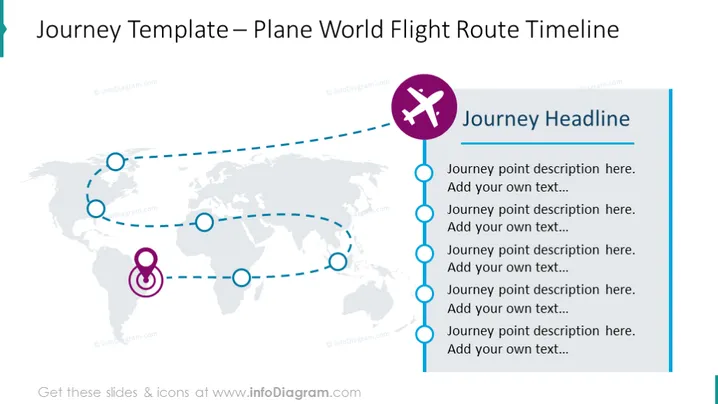
Journey Template – Plane World Flight Route Timeline
Slide Content
The slide is a visual representation of a journey template that maps out a flight route timeline. It contains placeholders for descriptions at various points along the journey, which means the slide is designed to depict the sequence and description of events or milestones on a global map. Each point suggests a step or stop in the process, which could be used to represent a company's international presence or describe different stages of a project executed across various global locations.
Graphical Look
- A faded global map serves as the background, providing a context for the flight route.
- A dotted line with five circular icons represents the flight route across the map.
- One of the circular icons is highlighted with a magenta color and a location marker, indicating a significant point or current focus.
- A plane icon in a circle adjacent to the title provides a thematic representation of flight.
- A vertical line connects the timeline and the title area, visually joining the two sections.
- The right side of the slide has a dark blue vertical stripe with text placeholders titled "Journey Headline".
The overall look of the slide is clean and professional, with a clear visual representation of a journey or process across geographical locations. The use of icons and connecting lines aids in the visualization of a sequential path.
Use Cases
- Illustrating the expansion strategy of a business to stakeholders by showing new locations being targeted or opened.
- Outlining the itinerary for a company retreat or international conference where employees or participants will be traveling.
- Presenting the timeline of a project that involves stages or deliverables in different parts of the world.
- Demonstrating the logistics of shipping or travel routes in a supply chain or transportation business presentation.
How to Edit
How to edit text & colors

How to expand / shorten diagram

How to Replace Icons in infoDiagram PPT


