
Reviews
Your slides are my 'secret sauce' when it comes to visualising my ideas to clients. I'm saving so much time.
InfoDiagram has been a wonderful resource since I found the product site a few years ago.
Your slides often generate good comments and ideas from my team that improve the final slides.
Description
August (US)
Slide Content
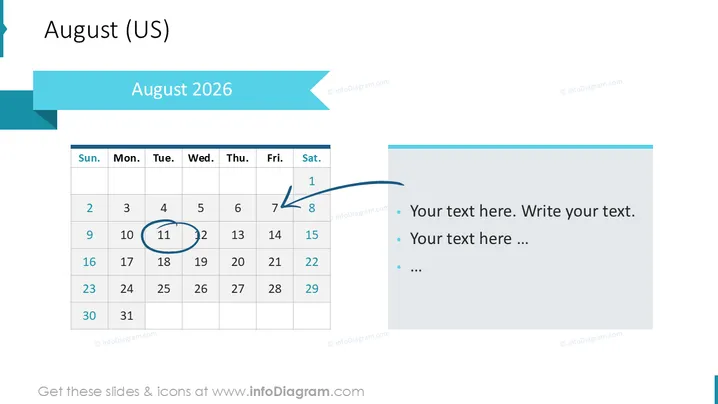
The PowerPoint slide shows a calendar for August 2026 with specific dates highlighted and an adjacent section for notes. The calendar is laid out in a standard US format starting with Sunday and ending with Saturday. Dates 8 and 9 are circled, and the 12th is highlighted with a blue halo, suggesting these dates are significant. The notes section contains placeholder text indicating where one can add relevant details or descriptions pertaining to the calendar dates.
Graphical Look
- The slide background is predominantly white, creating a clean and minimalistic visual appeal.
- A calendar occupies the left side of the slide, with a simple grid layout and typographic labels for days.
- Dates are displayed in black font within the grid, while the weekend dates (Saturday and Sunday) are shaded in light grey.
- The dates 8 and 9 are circled with a blue scribble, and date 12 has a blue halo around it, attracting attention to these specific days.
- To the right of the calendar, there is a blue, rectangular shape serving as a content area with three lines of placeholder bullet point text in a lighter shade of grey.
- A large, teal banner spans across the top with "August 2025" written in white, giving a clear indication of the month and year the calendar represents.
- Smaller, stylized ribbons in a darker teal are visible in the top left corner and along the banner's edge, contributing to the slide's design elements.
The slide has a modern and professional look, with a coherent color scheme of teal, blue and grey that provides visual harmony. The contrast between the vivid header and the subdued tones of the calendar and text section makes the slide visually engaging.
Use Cases
- To highlight important dates during a monthly team meeting, such as project milestones or deadlines.
- In a project planning presentation to visually represent scheduled events, holidays, or office closures.
- As part of an educational sequence to discuss upcoming exams, vacations, or significant school dates.
- Within a webinar or workshop setting to outline when certain topics will be covered or when activities are planned.
How to Edit
How to edit text & colors

How to expand / shorten diagram

How to Replace Icons in infoDiagram PPT


