
Reviews
Ihre Grafiken verleihen meinen Präsentationen eine nette Note, und ich habe sie kürzlich für eines meiner All-Hands-Meetings verwendet. Ihre Toolbox verleiht meinen Folien Professionalität, anstatt Standard-Clipart zu verwenden.
Ich brauchte einen neuen Blick auf einige meiner Folien. Ich habe versucht, einen Weg zu finden, einen Pinselschlag-Effekt zu erzielen, um zu unterstreichen, hervorzuheben, Farbe hinzuzufügen, und die handgeschriebenen Markierungen waren genau das Richtige. Sehr einfach zu bedienen, leicht in der Größe zu ändern, die Farbe zu ändern. Es war eine erschwingliche, perfekte Lösung und ich empfehle sie gerne weiter.
Die klare, saubere Optik der Grafiken und die Tatsache, dass ich die Farben leicht bearbeiten und an die Vorlage anpassen konnte, war mein Hauptgrund für den Kauf.
Description
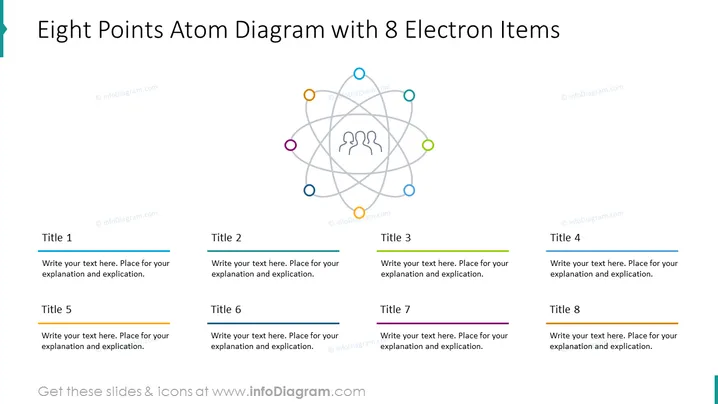
Eight Points Atom Diagram with 8 Electron Items
Slide Content
The PowerPoint slide titled "Eight Points Atom Diagram with 8 Electron Items" features a central diagram resembling an atomic structure, with eight colored circles, representing electrons, positioned around the nucleus. Each circle is linked to a corresponding text box labeled Title 1 through Title 8, intended for individual explanations. These text boxes are placeholders for detailed descriptions or applications of the concepts represented by each 'electron' item.
Graphical Look
- Central graphics depicting an atom with three ellipses intersecting at the center and eight assorted colored dots along the ellipses' paths.
- Each dot is connected to a text box by a line, aiming to associate each point with its explanation.
- There are eight text boxes, each containing a placeholder header "Title" followed by a number from 1 to 8.
- Every text box is accompanied by a short colored line above the "Title" and has placeholder text for further elaboration.
- The text boxes are consistently styled, with a modern sans-serif font and clearly defined spaces for content.
- The overall color scheme has a balance of soft and lively colors, giving a clear visual division between diagram points.
The slide has a clean and contemporary design, using bright colors and concise diagrammatic elements to create an intuitive layout. It's balanced both in terms of visual weight and color distribution.
Use Cases
- Illustrating complex concepts or models in science presentations, such as atomic structures or molecular configurations.
- Outlining the components or facets of a business model in corporate strategy presentations.
- Demonstrating the interconnections between multiple project tasks or ideas in a workflow or process presentation.
- Summarizing eight key takeaways or points in a training or educational module.
How to Edit
How to edit text & colors

How to expand / shorten diagram

How to Replace Icons in infoDiagram PPT


