
Reviews
Your graphics add a nice touch to my presentations and I recently used them for one of my all-hands meetings. Your toolbox adds professionalism to my slides. Instead of using standard clipart.
I needed a fresh look at some of my slides. I've tried to find a way to create a paintbrush effect, to underline, accentuate, add some color and the handwritten markers were just the things. Very easy to use, easy to size, change the color. It was an affordable, perfect solution and I'm happy to recommend it.
The crisp, clean look of the graphics, and the fact that it allowed me to easily edit and change the colors to match the template was my main reason for purchasing them.
Description
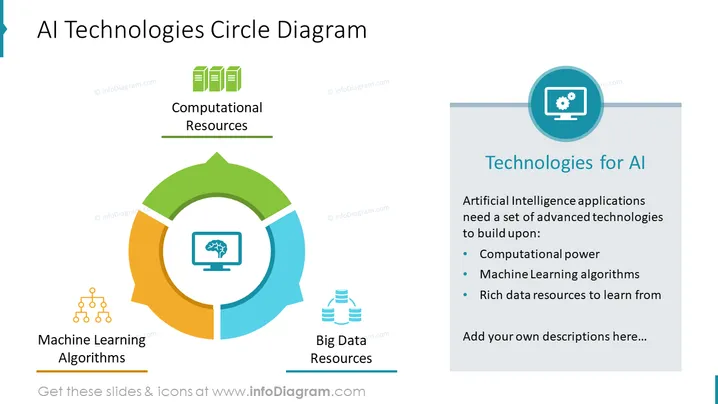
AI Technologies Circle Diagram
Slide Content
This PowerPoint slide is focused on the essential components needed for artificial intelligence technologies, depicted in a circular diagram with three main elements: Computational Resources, Machine Learning Algorithms, and Big Data Resources. Computational Resources refer to the necessary computing power or infrastructure needed for AI processing. Machine Learning Algorithms are the various computational processes and techniques used by AI to learn from data. Big Data Resources emphasize the vast quantities of data AI systems require to learn and make informed decisions.
Graphical Look
- A circular diagram dominates the left side of the slide, consisting of three connected segments in green, blue, and orange.
- Each segment has a corresponding icon: three green server stacks for Computational Resources, a blue brain-like symbol representing Machine Learning Algorithms, and two blue data storage icons for Big Data Resources.
- The right side of the slide features a light gray vertical banner with a title and text box in white and dark blue, plus a circular icon of a gear inside a computer monitor at the top.
- The circular diagram is bordered by three text labels in black font, one for each segment.
The slide is designed with a clean and professional look, using a simple color palette and clear icons to visually represent complex concepts. The structured layout clearly divides the text content from the graphical diagram.
Use Cases
- Presenting the foundational aspects of AI technology in an educational setting or workshop.
- Explaining the core components needed for AI systems during a business or technical meeting.
- Detailing the infrastructure requirements for an AI project proposal or pitch to stakeholders.
- Discussing the elements of AI as part of an introductory segment in a conference presentation on technology trends.
How to Edit
How to edit text & colors

How to expand / shorten diagram

How to Replace Icons in infoDiagram PPT


