

Your graphics add a nice touch to my presentations and I recently used them for one of my all-hands meetings. Your toolbox adds professionalism to my slides. Instead of using standard clipart.
Claude Jones, Director of Engineer, @Walmartlabs, USA

Your graphics add a nice touch to my presentations and I recently used them for one of my all-hands meetings. Your toolbox adds professionalism to my slides. Instead of using standard clipart.
Claude Jones, Director of Engineer, @Walmartlabs, USA
I needed a fresh look at some of my slides. I've tried to find a way to create a paintbrush effect, to underline, accentuate, add some color and the handwritten markers were just the things. Very easy to use, easy to size, change the color. It was an affordable, perfect solution and I'm happy to recommend it.
Anonymous, US
The crisp, clean look of the graphics, and the fact that it allowed me to easily edit and change the colors to match the template was my main reason for purchasing them.
Brandie Jenkins, E-learning Developer, USA
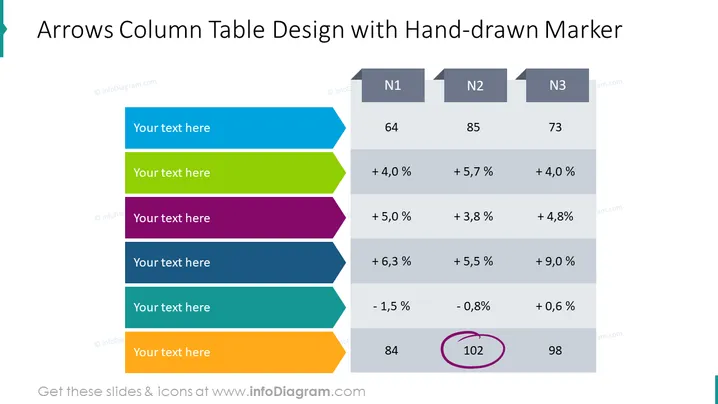
The slide conveys information through a unique design that employs arrow-shaped rows that indicate progression. There are three main columns titled N1, N2, and N3. In each column, a series of values are listed, such as 64, 85, 73, alongside percentage figures such as +4.0%, +5.7%, etc., reflecting growth or decline rates. Each arrow contains placeholder text for further elaboration. The arrows appear to denote individual data entries or categories that can be explained by the presenter. At the bottom, there is a sequence of three numerical figures highlighted, with one (102) being circled for emphasis.
The overall slide aesthetics are professional with a creative touch, utilizing a combination of sharp graphics, bold colors, and hand-drawn elements to present information in an engaging way.



