
Reviews
Your graphics add a nice touch to my presentations and I recently used them for one of my all-hands meetings. Your toolbox adds professionalism to my slides. Instead of using standard clipart.
I needed a fresh look at some of my slides. I've tried to find a way to create a paintbrush effect, to underline, accentuate, add some color and the handwritten markers were just the things. Very easy to use, easy to size, change the color. It was an affordable, perfect solution and I'm happy to recommend it.
The crisp, clean look of the graphics, and the fact that it allowed me to easily edit and change the colors to match the template was my main reason for purchasing them.
Description
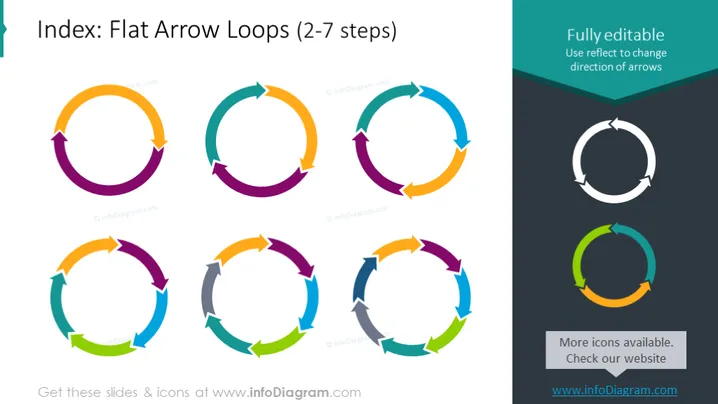
Index: Flat Arrow Loops (2-7 steps)
Slide Content
The slide presents a collection of flat design arrow loop diagrams meant to illustrate processes or cycles with 2 to 7 steps. The arrow loops are in various configurations, with each loop consisting of multiple arrows converging in a circular pattern, where each arrow represents a step. The arrows are color-coded to differentiate the steps, enhancing visual distinction and aiding the viewer in comprehension of the process flow.
Graphical Look
- The slide has a dark teal header with white text stating the title.
- There are eight arrow loop diagrams in total, each illustrating a different number of steps in a process.
- The arrow loops range from a simple 2-step cycle to a more complex 7-step cycle.
- Each arrow within the diagrams is color-coded to differentiate the individual steps.
- Arrows have a flat design with a slight drop shadow to create a sense of depth.
- The diagram on the top right has a contrasting text box that reads "Fully editable Use reflect to change direction of arrows."
- There is another small text box with a dark background at the lower right corner stating "More icons available. Check our website" with the web address below it.
The slide is sleek and modern, using a simple color palette and flat design elements to create a professional appearance. The contrast between the colorful arrow loops and the dark header and footer areas draws attention to the central graphical elements.
Use Cases
- Illustrating cyclical processes or continuous workflows during business meetings or presentations.
- Demonstrating the stages of project cycles for clarity in project management discussions.
- Showing feedback loops or iteration cycles in software development or design thinking workshops.
- Implementing in educational materials to visually explain concepts that involve repeating steps or sequences.
How to Edit
How to edit text & colors

How to expand / shorten diagram

How to Replace Icons in infoDiagram PPT


