
Reviews
Ihre Grafiken verleihen meinen Präsentationen eine nette Note, und ich habe sie kürzlich für eines meiner All-Hands-Meetings verwendet. Ihre Toolbox verleiht meinen Folien Professionalität, anstatt Standard-Clipart zu verwenden.
Ich brauchte einen neuen Blick auf einige meiner Folien. Ich habe versucht, einen Weg zu finden, einen Pinselschlag-Effekt zu erzielen, um zu unterstreichen, hervorzuheben, Farbe hinzuzufügen, und die handgeschriebenen Markierungen waren genau das Richtige. Sehr einfach zu bedienen, leicht in der Größe zu ändern, die Farbe zu ändern. Es war eine erschwingliche, perfekte Lösung und ich empfehle sie gerne weiter.
Die klare, saubere Optik der Grafiken und die Tatsache, dass ich die Farben leicht bearbeiten und an die Vorlage anpassen konnte, war mein Hauptgrund für den Kauf.
Description
Slide Title
Unfortunately, the image does not include a slide title that I can refer to.
Slide Content
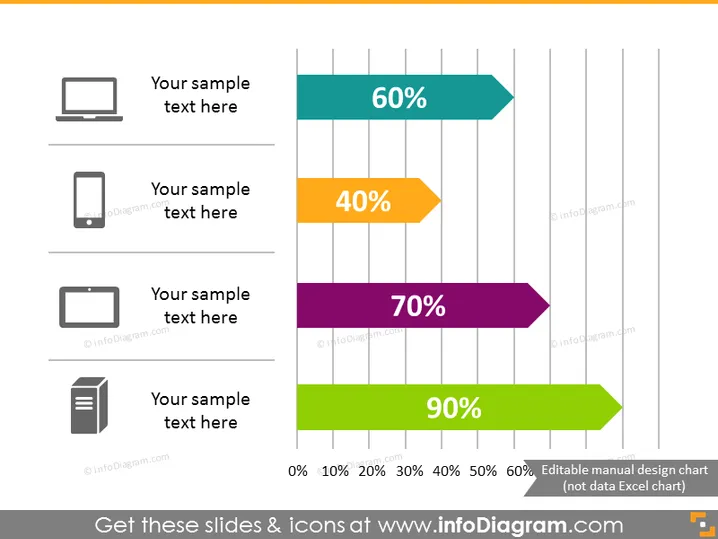
The slide appears to illustrate a statistical breakdown using horizontal bar graphs, each associated with a different icon and color. It lists percentages next to the bars, indicating performance, satisfaction, or some other measurable parameter. The specific details, such as what the percentages represent, the meaning behind the icons, and any corresponding sample text, are placeholders and need context to interpret correctly.
Graphical Look
- Four horizontal bar graphs with different lengths and colors indicating various percentages (60%, 40%, 70%, and 90%).
- To the left of each bar, there are icons representing a laptop, a tablet, a smartphone, and a document, from top to bottom.
- To the left of each icon, a placeholder text, 'Your sample text here', is provided for additional information.
- The bars have a three-dimensional effect and are displayed against a background of vertical gray lines indicating a scale from 0% to 100%.
- Each percentage label is positioned inside the end of its corresponding bar.
- The background of the slide is plain white, offering a clean and uncluttered visual.
The overall look of the slide is modern and professional with vivid colors used for the bars to differentiate the data points clearly. It efficiently presents quantitative information in a way that is easy to interpret visually.
Use Cases
- Demonstrating product usage or popularity across different platforms or devices in a business presentation.
- Showing survey results or customer satisfaction levels for various services or features.
- Displaying performance metrics for different business units or marketing channels.
- Comparing sales percentages or market share for a range of products in a company's portfolio.
How to Edit
How to edit text & colors

How to expand / shorten diagram

How to Replace Icons in infoDiagram PPT


