
Reviews
Ihre Grafiken verleihen meinen Präsentationen eine nette Note, und ich habe sie kürzlich für eines meiner All-Hands-Meetings verwendet. Ihre Toolbox verleiht meinen Folien Professionalität, anstatt Standard-Clipart zu verwenden.
Ich brauchte einen neuen Blick auf einige meiner Folien. Ich habe versucht, einen Weg zu finden, einen Pinselschlag-Effekt zu erzielen, um zu unterstreichen, hervorzuheben, Farbe hinzuzufügen, und die handgeschriebenen Markierungen waren genau das Richtige. Sehr einfach zu bedienen, leicht in der Größe zu ändern, die Farbe zu ändern. Es war eine erschwingliche, perfekte Lösung und ich empfehle sie gerne weiter.
Die klare, saubere Optik der Grafiken und die Tatsache, dass ich die Farben leicht bearbeiten und an die Vorlage anpassen konnte, war mein Hauptgrund für den Kauf.
Description
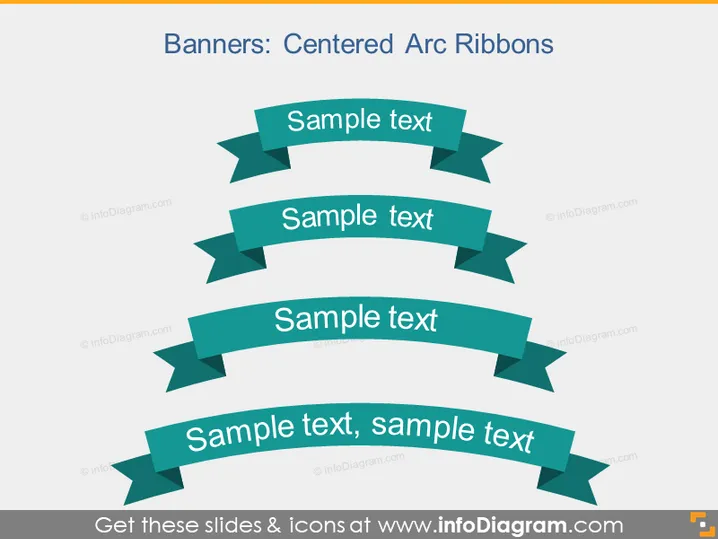
Banners: Centered Arc Ribbons
Slide Content
The slide displays four centered arc ribbon banners, each with a placeholder for text. These ribbons are arranged vertically and appear to represent different stages, options, or categories that can be customized with specific information. The ribbon banners usually signify progression, sequence, or emphasis on important points within a presentation. Each ribbon contains the phrase "Sample text," indicating where a presenter would insert their specific content.
Graphical Look
- The slide has a clean, white background that contrasts with the colorful elements.
- There are four teal-colored curved ribbon graphics with a three-dimensional appearance to convey depth.
- Each ribbon banner has a shadow effect, enhancing the three-dimensional look.
- The ribbons are oriented in a way that creates a visual flow from top to bottom.
- The banners differ in size, with some variations in the curvature, suggesting a hierarchy or sequence.
- The text within each banner is presented in a bold, white font that is easily readable against the teal background.
The overall look of the slide is professional, with a dynamic feel due to the curving shapes of the banners. The use of shadowing and varying sizes adds depth and hierarchy to the visual presentation.
Use Cases
- To present a process flow or a sequence of steps in a company's operations or strategy.
- To highlight a series of product features or benefits during a marketing or sales presentation.
- To showcase different service tiers or membership levels in a business proposal.
- To create an engaging visual list for educational or training purposes, emphasizing key points or topics.
How to Edit
How to edit text & colors

How to expand / shorten diagram

How to Replace Icons in infoDiagram PPT


