
Reviews
Your graphics add a nice touch to my presentations and I recently used them for one of my all-hands meetings. Your toolbox adds professionalism to my slides. Instead of using standard clipart.
I needed a fresh look at some of my slides. I've tried to find a way to create a paintbrush effect, to underline, accentuate, add some color and the handwritten markers were just the things. Very easy to use, easy to size, change the color. It was an affordable, perfect solution and I'm happy to recommend it.
The crisp, clean look of the graphics, and the fact that it allowed me to easily edit and change the colors to match the template was my main reason for purchasing them.
Description
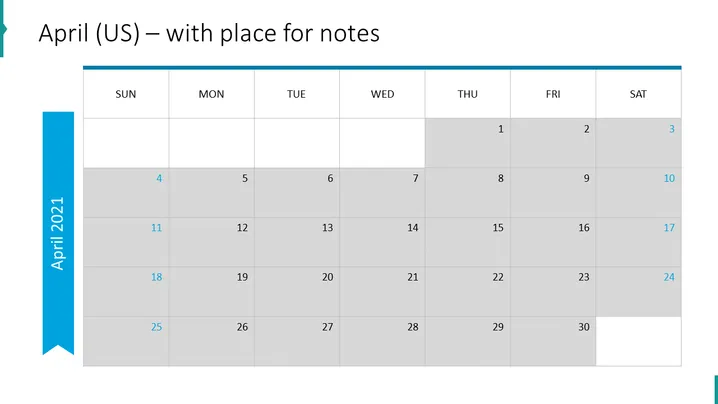
April (US) – with place for notes
Slide Content
The slide presents a monthly calendar for April in a US time format which includes a space for notes. The days of the week are laid out from Sunday to Saturday at the top. The calendar is divided into weeks with rows denoting weeks and columns for days, emphasizing its use for planning and scheduling. Shaded and white boxes alternate to visually separate the weeks.
Graphical Look
- The slide background is plain white.
- At the top, there is a large, bold, blue title text "April (US) – with place for notes."
- The days of the week are listed horizontally at the top in grey text boxes with a light blue top border.
- Dates are presented in a grid format, with rows representing weeks. Alternating rows have a shaded background for contrast.
- Each date is placed within a white or shaded box, aligned to the upper right corner.
- There is a vertical blue ribbon on the left side of the slide with text "April 2021" rotated vertically.
- The horizontal grid lines are light grey, while the vertical grid lines are slightly darker for definition.
The slide is designed with simplicity and clarity in mind, featuring a professional color scheme of blues and greys. The calendar grid is functional and easy to read, with an emphasis on visual differentiation between weeks.
Use Cases
- To outline important dates and deadlines in a business project timeline.
- To note scheduling for a series of events or appointments in a corporate setting.
- To share a monthly planning calendar with a team, providing a snapshot of the month ahead.
- To track progress against milestones over the course of the month in management meetings or team briefings.
How to Edit
How to edit text & colors

How to expand / shorten diagram

How to Replace Icons in infoDiagram PPT


