
Reviews
Sus gráficos añaden un toque agradable a mis presentaciones y recientemente los usé para una de mis reuniones generales. Su conjunto de herramientas añade profesionalismo a mis diapositivas. En lugar de usar imágenes prediseñadas estándar.
Necesitaba un aspecto fresco para algunas de mis diapositivas. Había intentado encontrar una forma de crear un efecto de pincel, de subrayar, acentuar, añadir algo de color y los marcadores escritos a mano fueron justo lo que necesitaba. Muy fácil de usar, fácil de ajustar el tamaño, cambiar el color. Fue una solución asequible y perfecta, y estoy feliz de recomendarla.
El aspecto nítido y limpio de los gráficos, y el hecho de que me permitiera editar y cambiar fácilmente los colores para que coincidieran con la plantilla fue mi principal razón para comprarlos.
Description
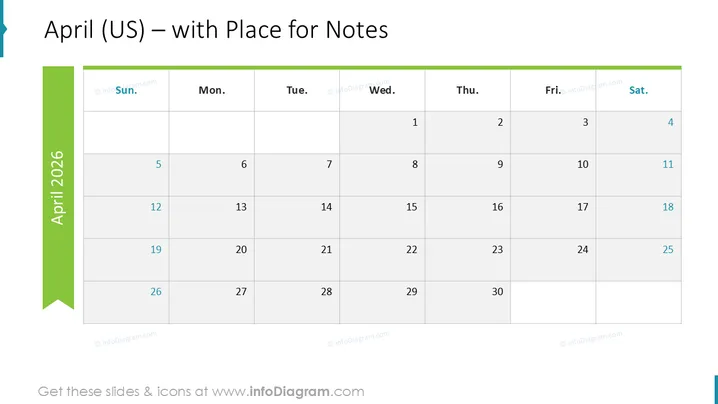
April (US) – with Place for Notes
Slide Content
The PowerPoint slide presents a monthly calendar for April, with a focus on providing space for notes alongside each date. The days are arranged in a typical US format, starting the week with Sunday and ending with Saturday. Each week is organized horizontally, with the dates presented in chronological order from top to bottom. The calendar is designed to facilitate the addition of daily notes, making it practical for planning and tracking tasks or events throughout the month.
Graphical Look
- The slide has a crisp, professional aesthetic with a white background.
- A prominent teal-colored vertical banner on the left displays the month and year "April 2025".
- Each day of the week is labeled at the top of the slide in bold, black font with abbreviated names.
- The dates are arranged in a grid format, with light gray gridlines separating the days.
- Date numbers are aligned to the bottom-right corner of each grid cell.
- There is generous whitespace in each cell intended for notes.
- The color scheme is minimal, with teal and gray as the primary colors for text and elements.
The overall look of the slide is clean and uncluttered, with a clear focus on functionality. The minimal color palette and generous whitespace contribute to the slide's professional appearance.
Use Cases
- To plan out daily tasks and appointments for the month in a business setting.
- To track project milestones and deadlines during a specific month.
- To distribute to team members for personal monthly planning and coordination.
- To overlay with important company dates, holidays, or events during presentations.
How to Edit
How to edit text & colors

How to expand / shorten diagram

How to Replace Icons in infoDiagram PPT


