
Reviews
Sus gráficos añaden un toque agradable a mis presentaciones y recientemente los usé para una de mis reuniones generales. Su conjunto de herramientas añade profesionalismo a mis diapositivas. En lugar de usar imágenes prediseñadas estándar.
Necesitaba un aspecto fresco para algunas de mis diapositivas. Había intentado encontrar una forma de crear un efecto de pincel, de subrayar, acentuar, añadir algo de color y los marcadores escritos a mano fueron justo lo que necesitaba. Muy fácil de usar, fácil de ajustar el tamaño, cambiar el color. Fue una solución asequible y perfecta, y estoy feliz de recomendarla.
El aspecto nítido y limpio de los gráficos, y el hecho de que me permitiera editar y cambiar fácilmente los colores para que coincidieran con la plantilla fue mi principal razón para comprarlos.
Description
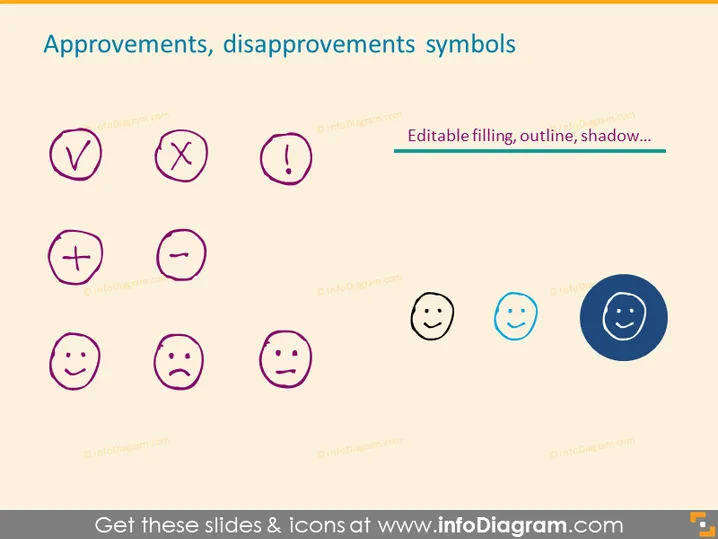
Approvements, disapprovements symbols
Slide Content
The PowerPoint slide presents a collection of symbols for expressing approval and disapproval. These symbols include a check mark (indicating approval or correctness), a cross mark (indicating disapproval or incorrectness), an exclamation mark (denoting importance or attention), a '+' (signifying addition or a positive aspect), a '−' (representing subtraction or a negative aspect), and a series of emoticon faces displaying different emotions such as happiness, sadness, and neutrality to express levels of satisfaction or dissatisfaction.
Graphical Look
- There are eight round-edged symbols displayed in two rows and four columns.
- The first row features a check mark, a cross mark, and an exclamation mark inside purple circles, followed by a text box labeled "Editable filling, outline, shadow..." paired with arrows.
- The second row contains a plus sign and a minus sign inside purple circles, followed by three emoticons: a happy face, a sad face, and a neutral face inside gray circles – with the last one featuring a blue background for contrast.
- The symbols are vector style and they appear evenly distributed across the slide.
- Each icon and text box is surrounded by a subtle shadow, giving a slight three-dimensional effect.
The slide has a clean, flat design with simple vector graphics, focusing on conveying the concept of approvement and disapprovement effectively. The use of contrasting colors for one of the emoticon faces emphasizes its significance.
Use Cases
- Presenting customer feedback results during a business review to highlight positive and negative responses.
- In training materials to visually express correct or incorrect answers to questions or exercises.
- During project management meetings to quickly signal approval or concerns regarding different aspects of the project.
- In interactive presentations or polls to allow audience members to vote or give their opinion on various topics or options.
How to Edit
How to edit text & colors

How to expand / shorten diagram

How to Replace Icons in infoDiagram PPT


