
Your graphics add a nice touch to my presentations and I recently used them for one of my all-hands meetings. Your toolbox adds professionalism to my slides. Instead of using standard clipart.
Claude Jones, Director of Engineer, @Walmartlabs, USA
Your graphics add a nice touch to my presentations and I recently used them for one of my all-hands meetings. Your toolbox adds professionalism to my slides. Instead of using standard clipart.
Claude Jones, Director of Engineer, @Walmartlabs, USA
I needed a fresh look at some of my slides. I've tried to find a way to create a paintbrush effect, to underline, accentuate, add some color and the handwritten markers were just the things. Very easy to use, easy to size, change the color. It was an affordable, perfect solution and I'm happy to recommend it.
Anonymous, US
The crisp, clean look of the graphics, and the fact that it allowed me to easily edit and change the colors to match the template was my main reason for purchasing them.
Brandie Jenkins, E-learning Developer, USA
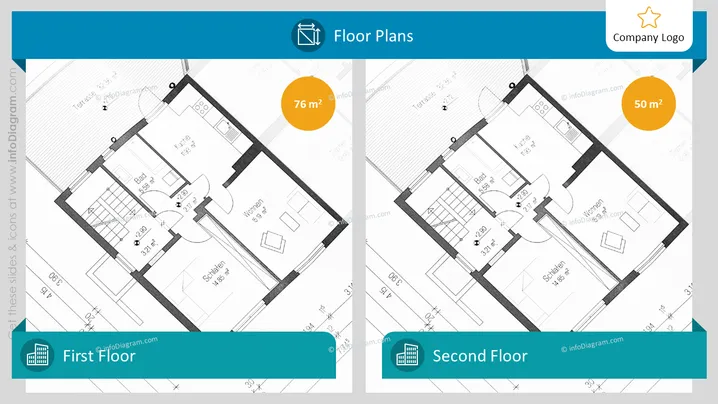
The PowerPoint slide titled "Floor Plans" displays two separate floor plans, labeled "First Floor" and "Second Floor," to showcase the layout and size of a building's levels. Each floor plan is detailed with room labels such as "Wohnen," "Schlafen," and "Bad," and additionally shows the square meterage of the spaces, with 76 m² for the first floor and 50 m² for the second floor. The labeling of rooms provides clarity on the functionality of each space, and the inclusion of area measurements helps to understand the scale and distribution of space within the property.
The slide has a neat and organized appearance, with a clear distinction between the two floor plans. The consistent use of color and design elements provides a professional aesthetic tailored for architectural or real estate presentations.




