
Reviews
Sus gráficos añaden un toque agradable a mis presentaciones y recientemente los usé para una de mis reuniones generales. Su conjunto de herramientas añade profesionalismo a mis diapositivas. En lugar de usar imágenes prediseñadas estándar.
Necesitaba un aspecto fresco para algunas de mis diapositivas. Había intentado encontrar una forma de crear un efecto de pincel, de subrayar, acentuar, añadir algo de color y los marcadores escritos a mano fueron justo lo que necesitaba. Muy fácil de usar, fácil de ajustar el tamaño, cambiar el color. Fue una solución asequible y perfecta, y estoy feliz de recomendarla.
El aspecto nítido y limpio de los gráficos, y el hecho de que me permitiera editar y cambiar fácilmente los colores para que coincidieran con la plantilla fue mi principal razón para comprarlos.
Description
Products
Slide Content
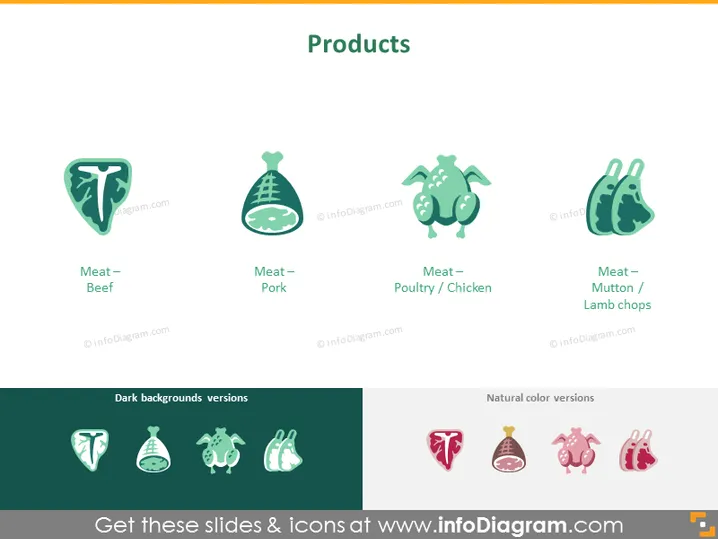
The PowerPoint slide is titled "Products" and showcases a variety of meat products with corresponding icons and labels. There are four main icons representing different types of meat: "Meat – Beef," signifying beef products; "Meat – Pork," representing pork products; "Meat – Poultry / Chicken," indicating products derived from chicken; and "Meat – Mutton / Lamb chops," referring to mutton or lamb-derived meat products. The slide also differentiates between icons suitable for dark backgrounds and icons for natural color backgrounds.
Graphical Look
- The slide has a white background with a green banner at the top where the title "Products" is centrally aligned.
- Four stylized icons, each depicting a different type of meat, are arranged in a row horizontally beneath the title.
- Below each icon is a label clearly identifying the type of meat: Beef, Pork, Poultry / Chicken, and Mutton / Lamb chops.
- Each icon has a unique shape, but all share a similar illustrative style with a cohesive color palette mainly involving shades of green and pink.
- A dividing line separates two sections labeled "Dark backgrounds versions" and "Natural color versions," showing how icons would look on different background colors.
The overall look of the slide is clean and modern, with a minimalistic use of color and graphics aimed at easy identification of the products. The icons are designed with simplicity in mind, which makes them versatile for various design layouts.
Use Cases
- Presenting a product catalog in a meat or food retail business to highlight the range of items for sale.
- Use in a marketing presentation to show the different product categories available within a brand's offerings.
- Educational purposes in culinary schools or food safety training, illustrating types of meat for identification.
- As visual aids in a pitch deck for a startup in the food industry, focusing on product differentiation and market offerings.
How to Edit
How to edit text & colors

How to expand / shorten diagram

How to Replace Icons in infoDiagram PPT


