
Reviews
Ihre Grafiken verleihen meinen Präsentationen eine nette Note, und ich habe sie kürzlich für eines meiner All-Hands-Meetings verwendet. Ihre Toolbox verleiht meinen Folien Professionalität, anstatt Standard-Clipart zu verwenden.
Ich brauchte einen neuen Blick auf einige meiner Folien. Ich habe versucht, einen Weg zu finden, einen Pinselschlag-Effekt zu erzielen, um zu unterstreichen, hervorzuheben, Farbe hinzuzufügen, und die handgeschriebenen Markierungen waren genau das Richtige. Sehr einfach zu bedienen, leicht in der Größe zu ändern, die Farbe zu ändern. Es war eine erschwingliche, perfekte Lösung und ich empfehle sie gerne weiter.
Die klare, saubere Optik der Grafiken und die Tatsache, dass ich die Farben leicht bearbeiten und an die Vorlage anpassen konnte, war mein Hauptgrund für den Kauf.
Description
Products
Slide Content
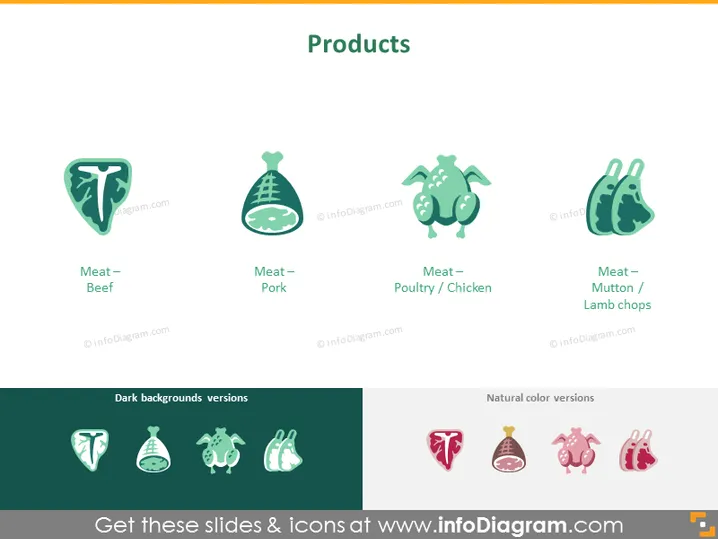
The PowerPoint slide is titled "Products" and showcases a variety of meat products with corresponding icons and labels. There are four main icons representing different types of meat: "Meat – Beef," signifying beef products; "Meat – Pork," representing pork products; "Meat – Poultry / Chicken," indicating products derived from chicken; and "Meat – Mutton / Lamb chops," referring to mutton or lamb-derived meat products. The slide also differentiates between icons suitable for dark backgrounds and icons for natural color backgrounds.
Graphical Look
- The slide has a white background with a green banner at the top where the title "Products" is centrally aligned.
- Four stylized icons, each depicting a different type of meat, are arranged in a row horizontally beneath the title.
- Below each icon is a label clearly identifying the type of meat: Beef, Pork, Poultry / Chicken, and Mutton / Lamb chops.
- Each icon has a unique shape, but all share a similar illustrative style with a cohesive color palette mainly involving shades of green and pink.
- A dividing line separates two sections labeled "Dark backgrounds versions" and "Natural color versions," showing how icons would look on different background colors.
The overall look of the slide is clean and modern, with a minimalistic use of color and graphics aimed at easy identification of the products. The icons are designed with simplicity in mind, which makes them versatile for various design layouts.
Use Cases
- Presenting a product catalog in a meat or food retail business to highlight the range of items for sale.
- Use in a marketing presentation to show the different product categories available within a brand's offerings.
- Educational purposes in culinary schools or food safety training, illustrating types of meat for identification.
- As visual aids in a pitch deck for a startup in the food industry, focusing on product differentiation and market offerings.
How to Edit
How to edit text & colors

How to expand / shorten diagram

How to Replace Icons in infoDiagram PPT


