

Your graphics add a nice touch to my presentations and I recently used them for one of my all-hands meetings. Your toolbox adds professionalism to my slides. Instead of using standard clipart.
Claude Jones, Director of Engineer, @Walmartlabs, USA

Your graphics add a nice touch to my presentations and I recently used them for one of my all-hands meetings. Your toolbox adds professionalism to my slides. Instead of using standard clipart.
Claude Jones, Director of Engineer, @Walmartlabs, USA
I needed a fresh look at some of my slides. I've tried to find a way to create a paintbrush effect, to underline, accentuate, add some color and the handwritten markers were just the things. Very easy to use, easy to size, change the color. It was an affordable, perfect solution and I'm happy to recommend it.
Anonymous, US
The crisp, clean look of the graphics, and the fact that it allowed me to easily edit and change the colors to match the template was my main reason for purchasing them.
Brandie Jenkins, E-learning Developer, USA
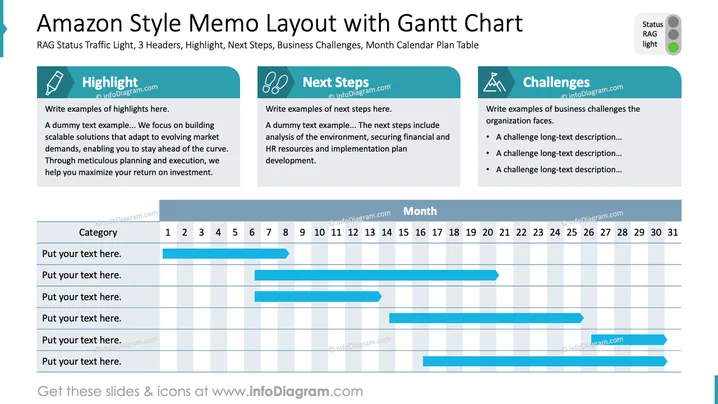
The slide presents an Amazon-style memo layout featuring a Gantt chart. It includes sections on "Highlight," which focuses on building scalable solutions to maximize ROI; "Next Steps," detailing analysis and plan development; and "Challenges," listing long descriptions of business hurdles. Each section is aimed at addressing comprehensive business planning.
The slide is divided into three distinct sections with bold headers: Highlight, Next Steps, and Challenges, each with an icon.
Each section is set against a teal background providing contrast to the white text area beneath it.
A Gantt chart occupies the lower half, marked with a blue timeline across rows labeled "Put your text here."
The Gantt chart features numbered columns indicating days of the month, filled with horizontal blue bars depicting project timelines.
A status indicator using a RAG (Red, Amber, Green) traffic light design is placed at the top right.
Clean and structured layout with clear separation between headers and content areas.
The slide uses a professional design combining informative text with visual timelines. The use of color and sectional separation helps in quickly conveying complex project information.



