
Reviews
Your graphics add a nice touch to my presentations and I recently used them for one of my all-hands meetings. Your toolbox adds professionalism to my slides. Instead of using standard clipart.
I needed a fresh look at some of my slides. I've tried to find a way to create a paintbrush effect, to underline, accentuate, add some color and the handwritten markers were just the things. Very easy to use, easy to size, change the color. It was an affordable, perfect solution and I'm happy to recommend it.
The crisp, clean look of the graphics, and the fact that it allowed me to easily edit and change the colors to match the template was my main reason for purchasing them.
Description
All shapes are easy to adapt
Slide Content
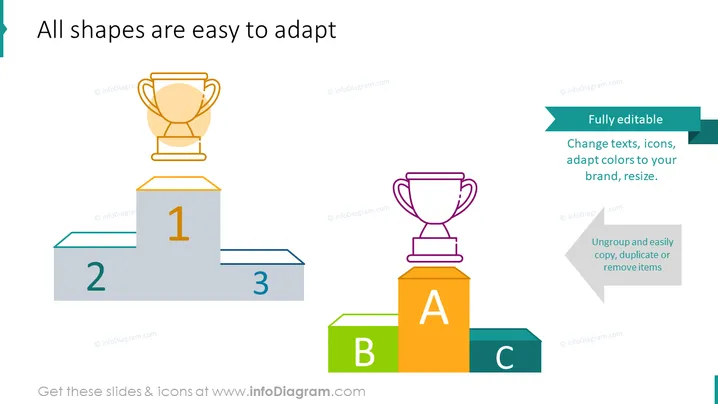
The slide emphasizes adaptability in presentation shapes, conveying that all elements, such as text, icons, and colors, can be customized to fit a brand identity or thematic requirement. A podium graphic illustrates the concept of ranking or prioritization with three levels marked as "1", "2", and "3", signifying a hierarchical structure often used to display winner or rank ordering in a competition or comparison scenario. Adjacent to the podium are blocks labeled "A", "B", and "C", which could represent categorical information or steps in a process. Two text boxes highlight the features of being "Fully editable" and the ability to "Ungroup and easily copy, duplicate or remove items", which stresses the user-friendly aspects of the slide elements and their potential for effortless manipulation.
Graphical Look
- The slide background is plain and white, creating a clean canvas for the objects.
- The title "All shapes are easy to adapt" is at the top in large, bold, teal text.
- A three-tiered podium graphic is positioned on the left, with "1" on the highest tier, and "2" and "3" on the lower tiers, colored in shades of blue and grey.
- A gold trophy sits on top of the first tier, adding a visual representation of achievement or victory.
- On the right, there are three blocks in different sizes and colors labeled "A", "B", and "C"; the tallest in orange, the medium in green, and the shortest in blue, possibly illustrating a ranking or stepping system.
- Two call-out text boxes with directional arrows float adjacent to the podium and blocks; the first in a teal banner with white text says "Fully editable," and the second in a light grey banner with teal text states "Ungroup and easily copy, duplicate or remove items."
The overall design of the slide is modern and minimalistic, with a strong use of geometric shapes and contrasting colors to distinguish between different elements and convey the theme of editability and adaptability in a clear, visual manner.
Use Cases
- To present different tiers of achievements or status levels, such as award rankings, in a company meeting or an award ceremony presentation.
- During educational or training sessions to outline the hierarchy or processes involved in a particular topic.
- In sales and marketing presentations to show product categorizations or service levels.
- As part of a project status update to display different milestones or project phases and their importance or progress.
How to Edit
How to edit text & colors

How to expand / shorten diagram

How to Replace Icons in infoDiagram PPT


