
Reviews
Ihre Grafiken verleihen meinen Präsentationen eine nette Note, und ich habe sie kürzlich für eines meiner All-Hands-Meetings verwendet. Ihre Toolbox verleiht meinen Folien Professionalität, anstatt Standard-Clipart zu verwenden.
Ich brauchte einen neuen Blick auf einige meiner Folien. Ich habe versucht, einen Weg zu finden, einen Pinselschlag-Effekt zu erzielen, um zu unterstreichen, hervorzuheben, Farbe hinzuzufügen, und die handgeschriebenen Markierungen waren genau das Richtige. Sehr einfach zu bedienen, leicht in der Größe zu ändern, die Farbe zu ändern. Es war eine erschwingliche, perfekte Lösung und ich empfehle sie gerne weiter.
Die klare, saubere Optik der Grafiken und die Tatsache, dass ich die Farben leicht bearbeiten und an die Vorlage anpassen konnte, war mein Hauptgrund für den Kauf.
Description
All-hands Meeting Icons - Strategy
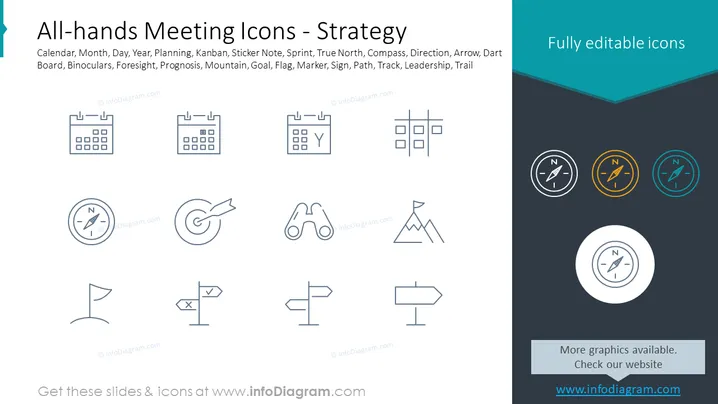
Slide Content: The slide presents a series of icons related to strategy for all-hands meetings: calendar (time planning), Kanban (workflow visualization), sticker note (quick messaging or task flagging), sprint (short, iterative project phase), compass (guidance or direction), arrow/dart (targeting goals), mountain (challenges to overcome), goal (objective), flag (milestone or achievement), marker (highlighting or location), sign (guidance or instruction), and leadership/trail (guidance or pathfinding).
Graphical Look:
- The slide background is divided diagonally into two colors: white on the left and a dark teal on the right.
- On the white side, there are two rows of outline icons, six icons per row, each depicting a different strategy or planning concept.
- The top right corner has a text box with the words "Fully editable icons" in white font.
- The bottom right corner features four circular icons of a compass, colored differently (black, orange, blue, and white).
- Below the circular icons is a text box with the words "More graphics available. Check our website" and a website URL.
- A decorative dark teal ribbon graphic intersects the two background colors at the top of the slide.
The slide has a clean and modern look with a professional color scheme that emphasizes the content. The icons are simple and well-spaced, offering a visual representation of various strategic concepts without clutter.
Use Cases:
- To visually convey different strategic tools or concepts during an all-hands meeting.
- In a training presentation to explain different methodology symbols to employees.
- During a planning session to select appropriate tools or symbols that represent project milestones or tasks.
- As part of a slide deck for a management workshop focused on strategy development and implementation.
How to Edit
How to edit text & colors

How to expand / shorten diagram

How to Replace Icons in infoDiagram PPT


