
Reviews
Sus gráficos añaden un toque agradable a mis presentaciones y recientemente los usé para una de mis reuniones generales. Su conjunto de herramientas añade profesionalismo a mis diapositivas. En lugar de usar imágenes prediseñadas estándar.
Necesitaba un aspecto fresco para algunas de mis diapositivas. Había intentado encontrar una forma de crear un efecto de pincel, de subrayar, acentuar, añadir algo de color y los marcadores escritos a mano fueron justo lo que necesitaba. Muy fácil de usar, fácil de ajustar el tamaño, cambiar el color. Fue una solución asequible y perfecta, y estoy feliz de recomendarla.
El aspecto nítido y limpio de los gráficos, y el hecho de que me permitiera editar y cambiar fácilmente los colores para que coincidieran con la plantilla fue mi principal razón para comprarlos.
Description
All-hands Meeting Icons - Dialogue
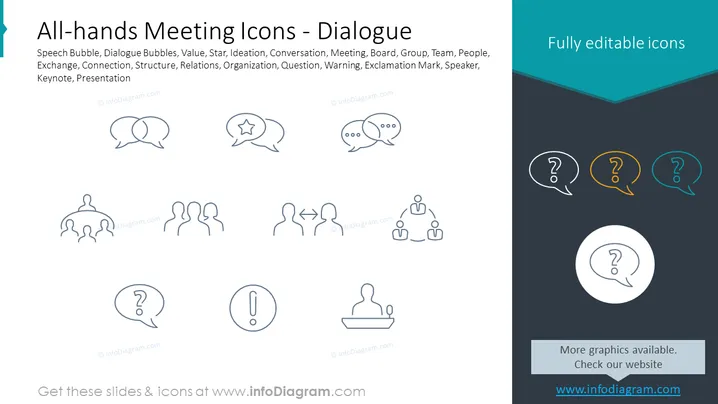
Slide Content: The slide showcases icons related to all-hands meetings and dialogue, including speech bubbles representing conversation, a star for value or ideation, circular figures for team or group dynamics, arrows for exchange or connection, a hierarchical structure for organization, and symbols for questions, warnings, and a speaker at a podium, indicating aspects of a presentation or keynote. There is a note indicating that these icons are fully editable.
Graphical Look:
- The slide has a minimalistic design with a white background.
- There are two columns of icons, one on the left and one on the right, separated by a wide, dark teal vertical strip.
- The left column features line art icons in gray, depicting speech and dialogue bubbles, a group of figures, and abstract representations of exchange and structure.
- The right column contains three speech bubble icons with question marks, each in a different color (white, yellow, and turquoise) set against a dark teal background.
- A circle icon with a question mark is centered below the right column, with a larger size for emphasis.
- The top right corner contains the phrase "Fully editable icons" in white text against the dark teal background.
- There is promotional text at the bottom center, directing viewers to a website for more graphics.
- The slide's overall look is professional and well-organized, with a balance between graphic icons and bold colors that draw attention. The icons are simple and clear, facilitating easy communication of concepts related to dialogue in meetings.
Use Cases:
- This slide can be used in corporate presentations to visually represent different aspects of company-wide meetings or discussions.
- It can serve as an introductory slide during training sessions focused on enhancing communication or collaboration within a team or organization.
- The icons could be useful in workshops about improving presentation skills, where each symbol represents a different concept to discuss or learn about.
- It can be included in a content library for employee resources, providing visual aids that can beadded to various internal documents and communications.
How to Edit
How to edit text & colors

How to expand / shorten diagram

How to Replace Icons in infoDiagram PPT


