
Reviews
Sus gráficos añaden un toque agradable a mis presentaciones y recientemente los usé para una de mis reuniones generales. Su conjunto de herramientas añade profesionalismo a mis diapositivas. En lugar de usar imágenes prediseñadas estándar.
Necesitaba un aspecto fresco para algunas de mis diapositivas. Había intentado encontrar una forma de crear un efecto de pincel, de subrayar, acentuar, añadir algo de color y los marcadores escritos a mano fueron justo lo que necesitaba. Muy fácil de usar, fácil de ajustar el tamaño, cambiar el color. Fue una solución asequible y perfecta, y estoy feliz de recomendarla.
El aspecto nítido y limpio de los gráficos, y el hecho de que me permitiera editar y cambiar fácilmente los colores para que coincidieran con la plantilla fue mi principal razón para comprarlos.
Description
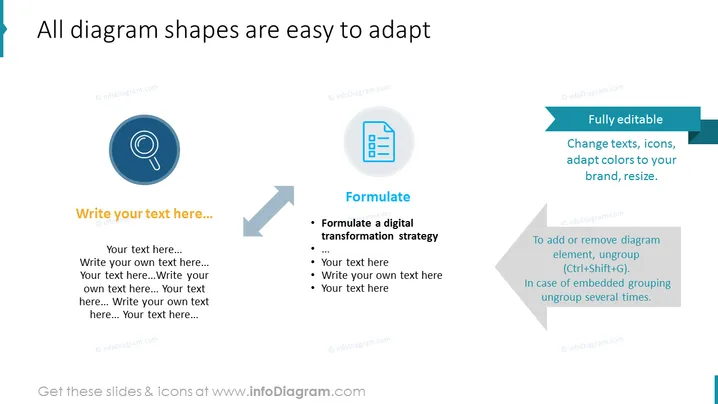
All diagram shapes are easy to adapt
Slide Content
The slide appears to be a template showcasing how diagram shapes can be easily customized within a presentation. It emphasizes the flexibility of the slide elements, denoting that they are "Fully editable," with suggestions to "Change texts, icons, adapt colors to your brand, resize." The slide provides placeholders marked "Write your text here..." and includes an example of how to "Formulate a digital transformation strategy," suggesting practical applications for adapting these diagram shapes in a business context.
Graphical Look
- The slide has a clean, professional design with a white background.
- A prominent title is aligned to the left in a large blue font, utilizing the same blue accent color as on the left border.
- Three circular icons with pictograms centered inside, magnifying glass, document, and gear, indicate different aspects or steps.
- Gray arrows point from one circle to the next, suggesting a sequence or process flow.
- Next to each icon is a text box for additional information, with placeholder text and one filled with an example.
- A teal ribbon-like shape on the top right emphasizes that the diagram shapes are fully editable.
- Under the rightmost icon is a speech bubble-like shape detailing how to edit the diagram elements.
The slide's visual design is modern and minimalistic, offering clear visual cues for sequence and customizability through its directional arrows and iconography. The color palette is limited to teals, blues, and grays, maintaining a professional appearance.
Use Cases
- This slide could be used in a presentation to explain the process of customizing digital content for branding purposes.
- It is ideal for a training session on how to use PowerPoint effectively, specifically focusing on diagram adaptation.
- This template could be included in a pitch to demonstrate a company's step-by-step plan for a project or strategy rollout.
- It's also suitable for workshops on creating engaging presentations, teaching how to make visual content more dynamic and personalized to a brand's visual identity.
How to Edit
How to edit text & colors

How to expand / shorten diagram

How to Replace Icons in infoDiagram PPT


