
Reviews
Ihre Grafiken verleihen meinen Präsentationen eine nette Note, und ich habe sie kürzlich für eines meiner All-Hands-Meetings verwendet. Ihre Toolbox verleiht meinen Folien Professionalität, anstatt Standard-Clipart zu verwenden.
Ich brauchte einen neuen Blick auf einige meiner Folien. Ich habe versucht, einen Weg zu finden, einen Pinselschlag-Effekt zu erzielen, um zu unterstreichen, hervorzuheben, Farbe hinzuzufügen, und die handgeschriebenen Markierungen waren genau das Richtige. Sehr einfach zu bedienen, leicht in der Größe zu ändern, die Farbe zu ändern. Es war eine erschwingliche, perfekte Lösung und ich empfehle sie gerne weiter.
Die klare, saubere Optik der Grafiken und die Tatsache, dass ich die Farben leicht bearbeiten und an die Vorlage anpassen konnte, war mein Hauptgrund für den Kauf.
Description
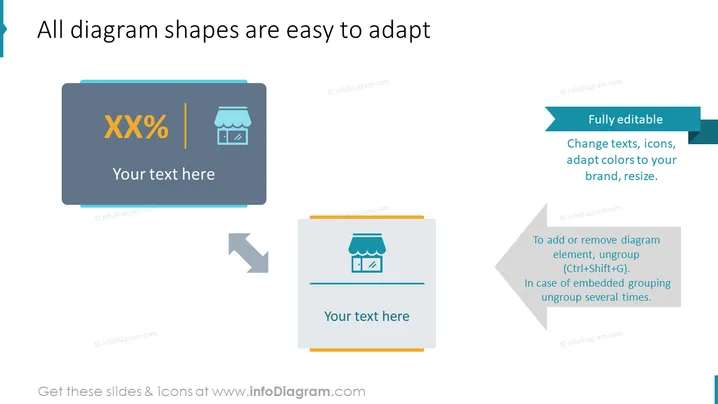
All diagram shapes are easy to adapt
Slide Content
The PowerPoint slide presents the customizability features of diagram shapes, highlighting their adaptability for different purposes. It showcases two examples of diagram shapes—each with a placeholder for text and icons—illustrating how each element is 'Fully editable,' meaning you can change texts and icons, adapt colors to your brand, or resize components. Additionally, it gives instructions on how to 'To add or remove diagram elements,' by ungrouping them using a specific keyboard shortcut and notes that embedded grouping might require ungrouping multiple times.
Graphical Look
- Two card-style diagram shapes are centered on the slide, with one being grey and the other white, both containing icon placeholders and a text area.
- Arrows point from the grey card to the white card, implying a transformation or editing process.
- Surrounding text boxes with instructions and editability features, one teal and two dark grey, give users relevant information about the shapes.
- Each text box has its text aligned to the left and employs a sans-serif font, creating a modern and clean aesthetic.
- The shapes and text boxes have soft, rounded corners, contributing to a sleek and professional design.
The slide's graphical look is modern and straightforward, featuring a minimalistic design with clean lines and simple color contrasts that highlight the adaptability of the diagram shapes.
Use Cases
- Presenting the benefits and features of software or services related to diagram or presentation creation.
- Demonstrating how to customize marketing materials or business reports to maintain brand consistency.
- Teaching a workshop or training session on how to use presentation software more effectively.
- Introducing a new template or tool during a team meeting where documentation or presentation material guidelines are established.
How to Edit
How to edit text & colors

How to expand / shorten diagram

How to Replace Icons in infoDiagram PPT


